AN4316 · Application noteHow to tune touch sensing applications on STM32 MCUs
Download .pdfOpen in the full document

Debounce settings

Debounce settings

In order to improve the robustness of the application, the STMTouch driver provides the debounce feature. To validate a touch detection, the delta must exceed the threshold during a certain number of consecutive samples as shown in the figure below. This is to avoid a false-detection due to a noise peak.
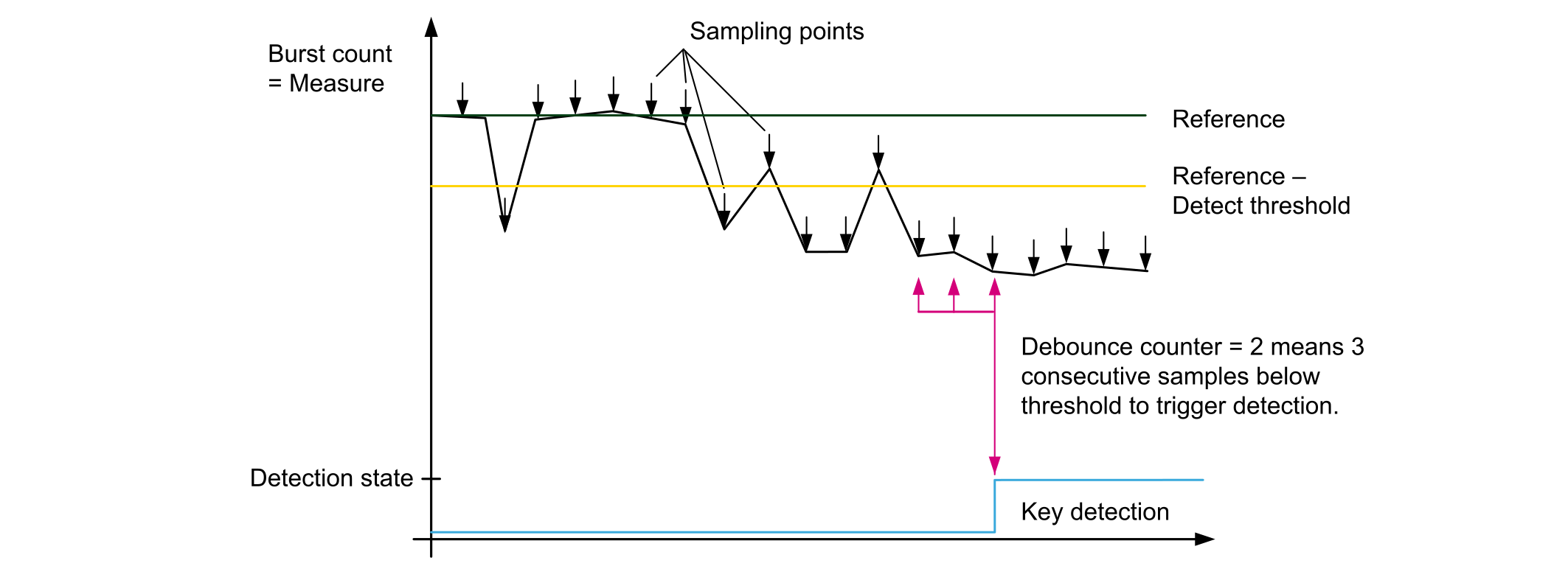
Figure 9. Debouncing example

Due to the use of a down-counter, the DEBOUNCE preprocessor constant must be set to n-1 while n consecutive sample must be measured below the detection threshold before triggering a detection (see the code below).

#define TSLPRM_DEBOUNCE_DETECT (2) //3 consecutive samples needed to enter in Detection.

The debounce feature is configurable for each state transition listed below:

  • TSLPRM_DEBOUNCE_PROX: while switching from release state to proximity state
  • TSLPRM_DEBOUNCE_DETECT: while switching from release state or proximity to touch detection state
  • TSLPRM_DEBOUNCE_RELEASE: while switching from touch or proximity state to release state
  • TSLPRM_DEBOUNCE_CALIB: while switching from release state to calibration state (compute again the reference)
  • TSLPRM_DEBOUNCE_ERROR: while switching from any state to error state
Charge transfer period tuning

The acquisition is based on the measurement of the sensor channel capacitance (or a set of sensors in the case of linear and rotary sensors). The more charged this sensor capacitance is, the more accurate the measure and the better the noise immunity.

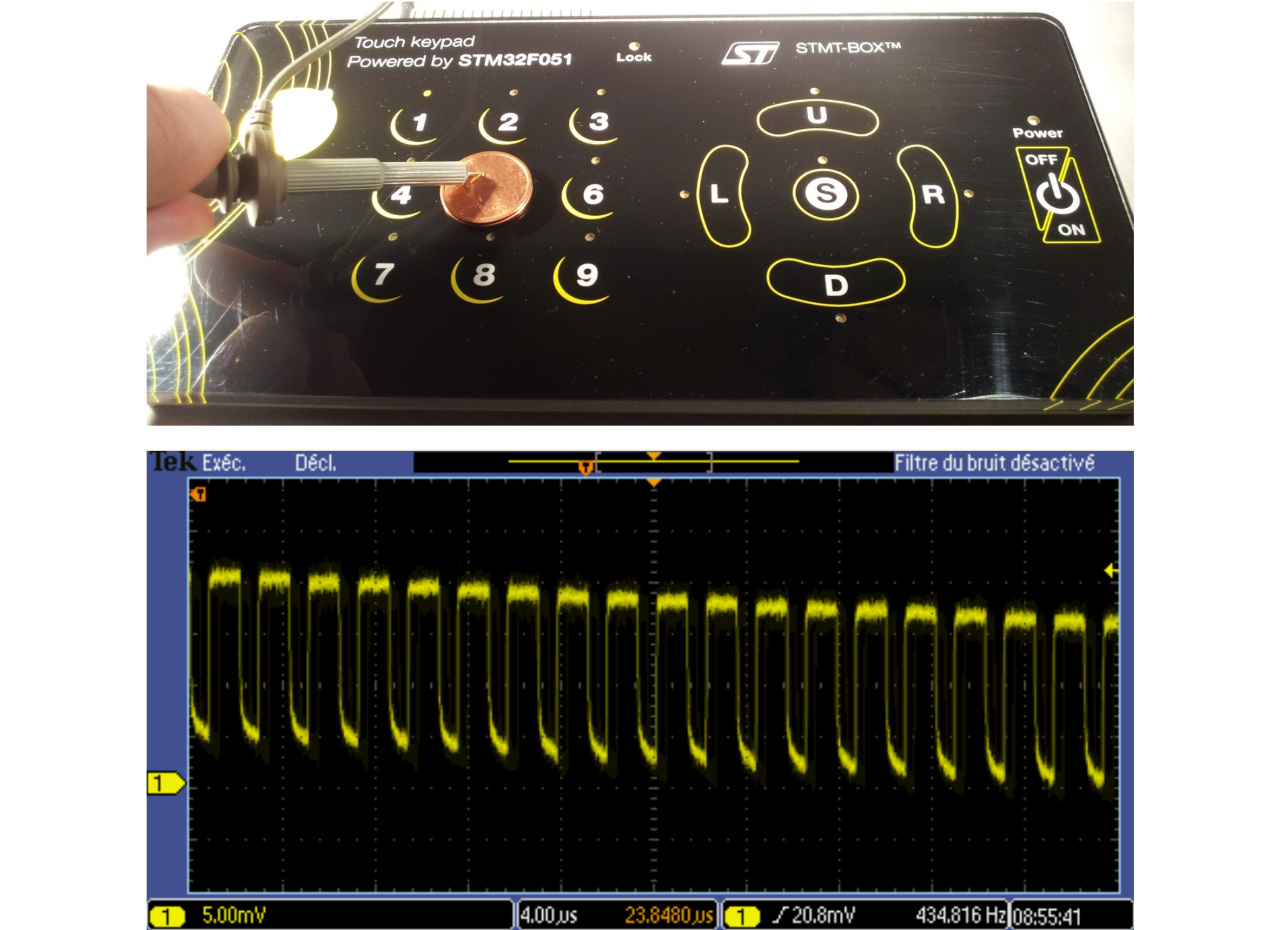
To ensure that the capacitance is correctly charged, it is necessary to monitor the pin connected to the sensor plate, or through a metallic coin put on the sensor (see the figure below).

Figure 10. Metallic coin probe

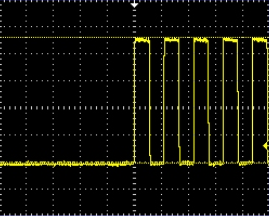
The signal must show a square wave that indicates a fully loaded capacitance.

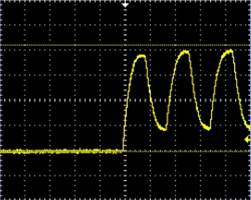
Figure 11 Ideal charge transfer shows an example of ideal charge transfers and Figure 12 Non-ideal charge transfers an example of non-ideal transfers.

Figure 11. Ideal charge transfer
Figure 12. Non-ideal charge transfers

In the case of an uncompleted charge, the user must increase the charge transfer period.

Depending on the product and type of acquisition, different adjustments are necessary.

The following involved parameters are in the MCU PARAMETERS section of the tsl_conf_stmxxxx.h file:

  • For microcontrollers of STM32F0, STM32F3, STM32L0, STM32L1, and STM32WB series embedding the TSC peripheral, the trimming is done by increasing TSLPRM_TSC_CTPH for the charge period, and/or TSLPRM_TSC_CTPL for the transfer period, and optionally TSLPRM_TSC_PGPSC to divide the pulse generator frequency by a power of two.
  • For STM32L1 products, the charge transfer period is set through TSLPRM_CT_PERIOD and TSLPRM_TIMER_FREQ parameters.

Refer to the reference manuals of the products for more details on registers.

CS trimming

The CS capacitance is a key parameter for sensitivity. For touchkey sensors, the CS value is usually between 8.7 nF to 22 nF. For linear and rotary touch sensors, the value is between 47 nF and 100 nF. These values are given as reference for an electrode fitting a human finger tip size across a few millimeters dielectric panel.

The signal delta for a touchkey is usually above 20 while it is around 100 for linear and rotary touch sensors. These values are given for a normalized test finger.

Shield adjustment

The efficiency of the shield depends on the waveforms matching between the shielded channel and the shield burst pulses. The parameters to adapt the shield waveform are Cs and Rs, which can be adjusted through the two following steps:

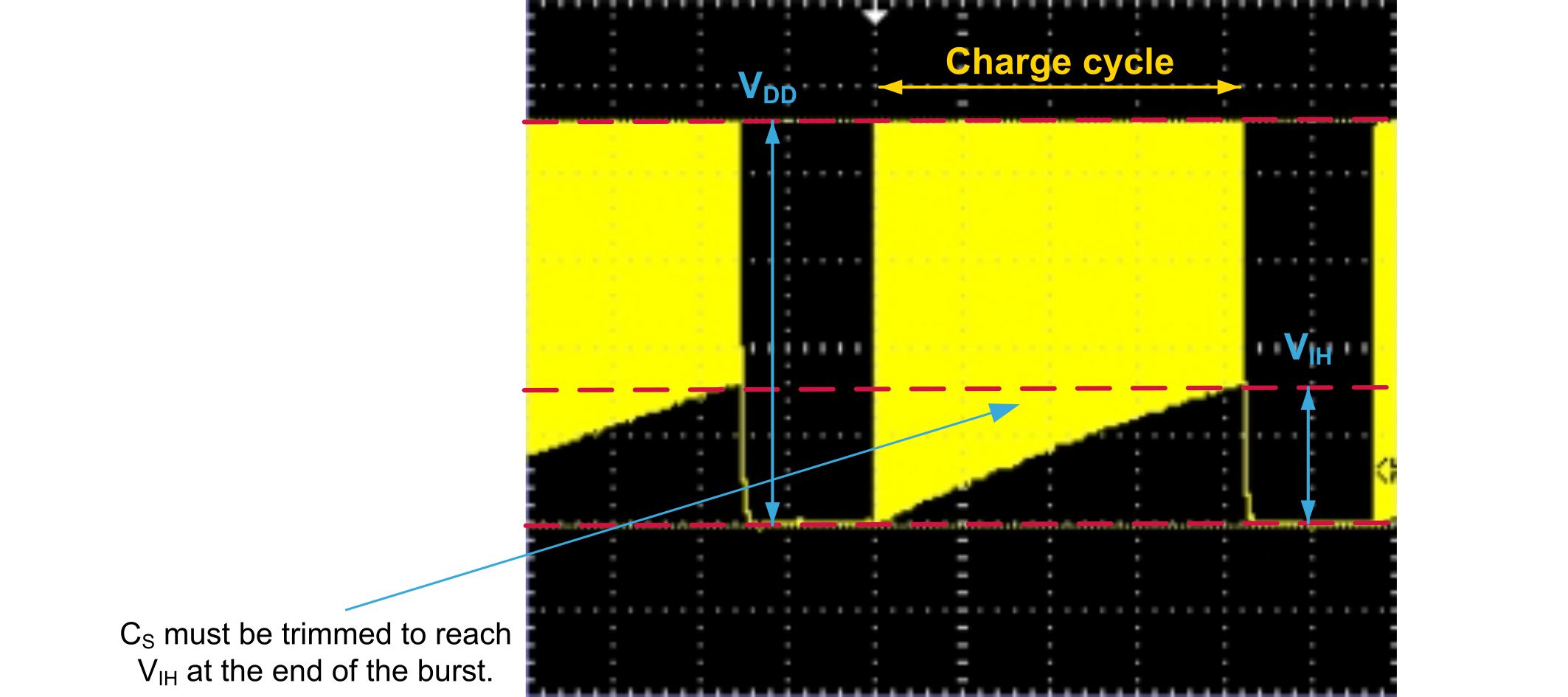
  1. Active shield Cs trimming: The burst envelop of the channels belonging to a same bank must end at the same voltage level VIH (see the figure below).
    Figure 13. Active shield Cs trimming
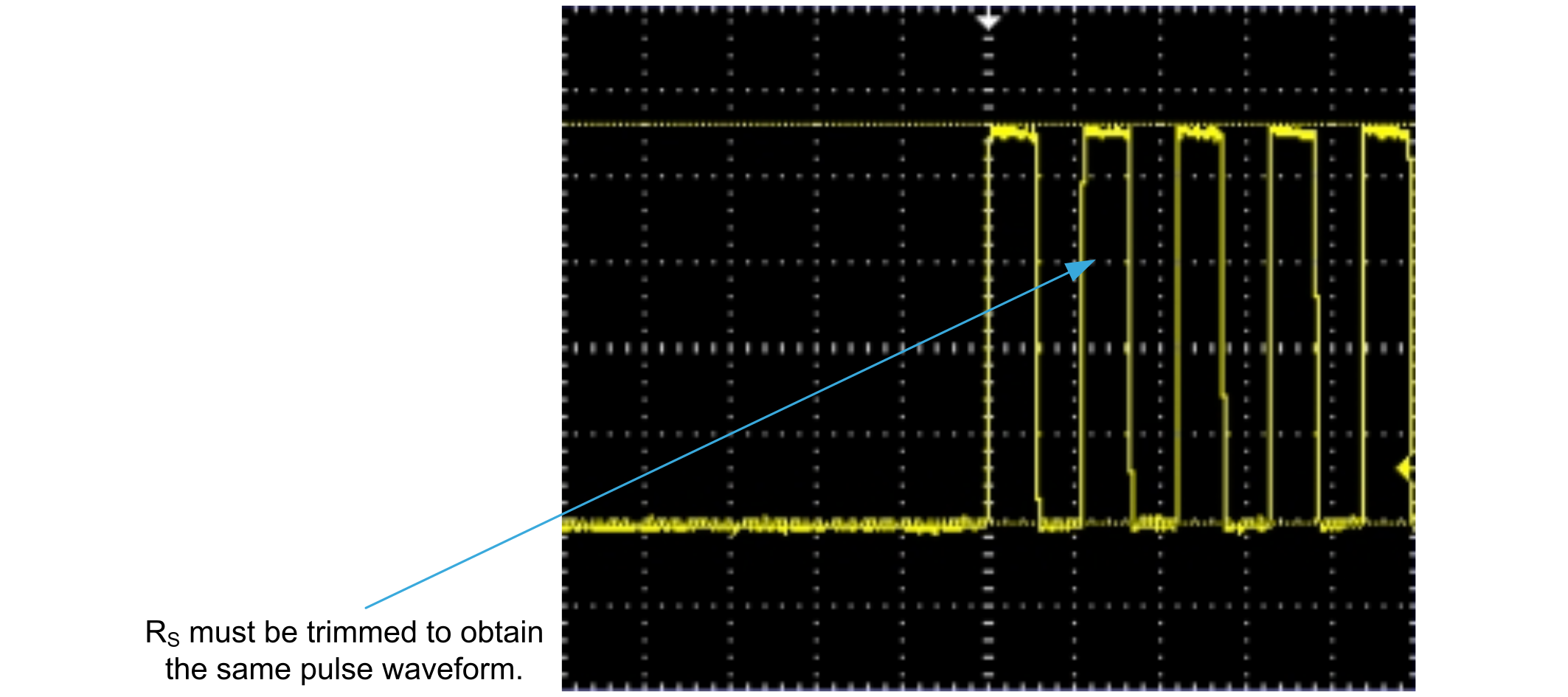
  2. Active shield Rs trimming: Rs must be trimmed to ensure that shield capacitance is fully charged (see the figure below).
    Figure 14. Active shield Rs trimming

Performance comparison

In order to compare the performance of a whole touch sensing application, the usual parameter is the signal-to-noise ratio (SNR). Each company, each team, and even each engineer as its own method to compute it.

Here is a proposal to compute the SNR but, to get correct results, the user must compare apples to apples. The test conditions and the method of computation must be under control and reproducible else it is meaningless to compare the two results.

In the SNR calculation, the signal is the average of the delta measurements during a touch and the noise is the amplitude (delta max - delta min) without touch (see the figure below).

Figure 15. SNR computation

In order to make meaningful comparisons, the various SNR measurements must be performed under similar test conditions.

The following parameters affect the results of the SNR:

  • Hardware application: layout, panel (such as dielectric, thickness, or glue), capacitance value and quality.
  • Firmware application: acquisition configuration (such as frequency or reference), threshold settings.
  • Test conditions: object used to touch (such as standard test finger or genuine finger), the way the panel is touched (such as pressure or slope), the applied noise if any.

Conclusion

In order to get the best performance for any STMTouch-based application, the designer must tune it correctly. STMicroelectronics provides the STM-Studio free tools to help performing this task. It is important to have the thresholds and the debounce values set according to the application environment. To get the best performance, the charge transfer must be operated completely.

Revision history

Table 2. Document revision history
DateVersionChanges
4-Mar-20141Initial release.
11-Jun-20142Added support for STM32L0 series and STM8AL series.
15-Oct-20153Added support for STM32L4 series.
24-Jan-20194Updated:
  • Title of the document
  • All section numbers (as the Introduction is now not numbered)
  • Introduction and Table 1
  • Section 2 Monitoring STMTouch driver variables using STM-Studio
  • Section 4 Charge transfer period tuning

Appendix A removed and corresponding figure moved to Section 3.1 Use of a standard test finger.

12-Aug-20215

Updated the Applicable products table

Removed all information relative to STM8 MCUs

10-Jan-20236Updated:
  • Table 1 to incorporate the STM32WBA series.
  • The whole document with minor changes.
06-Mar-20247Added STM32U0 series.

Updated document title.

16-Dec-20248Added STM32U3 series.