A rotary sensor is a set of contiguous capacitive electrodes connected to the device and placed in a circular way. The number of electrodes depends on the size and the resolution of the sensor.
The electrodes can be arranged in one of the two following ways:
mono electrode design (same as the half-ended electrode design)
dual electrode design
Like for the linear sensor, there are two options for designing the electrode pattern on the PCB:
normal pattern
interlaced pattern
These two patterns are described in more details in the next sections. A rotary sensor can also have a touchkey placed in the center.
Note:
For optimum performance of a linear or rotary sensor, all channels of such a sensor must be acquired simultaneously, therefore selected I/Os must belong to different analog I/O groups. Refer to the product datasheet for more information regarding I/O groups and available capacitive sensing GPIOs.
Normal patterned rotary sensor
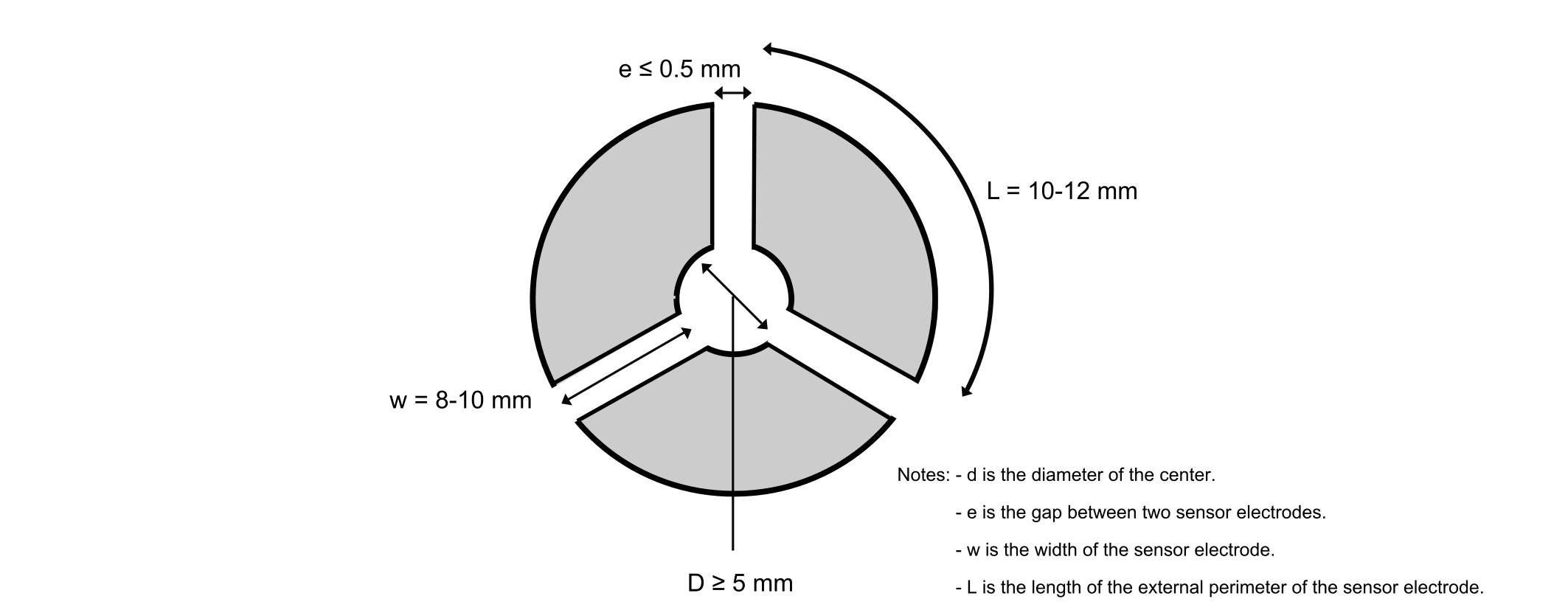
The figure below shows an example of a normal patterned rotary sensor.Figure 21. Normal patterned rotary sensor (3 channels/3 electrodes)
The dimensions d, e, w, and L of the three-electrode scheme above can also be applied for five and eight electrodes, thus giving a bigger rotor.
Interlaced patterned rotary sensors
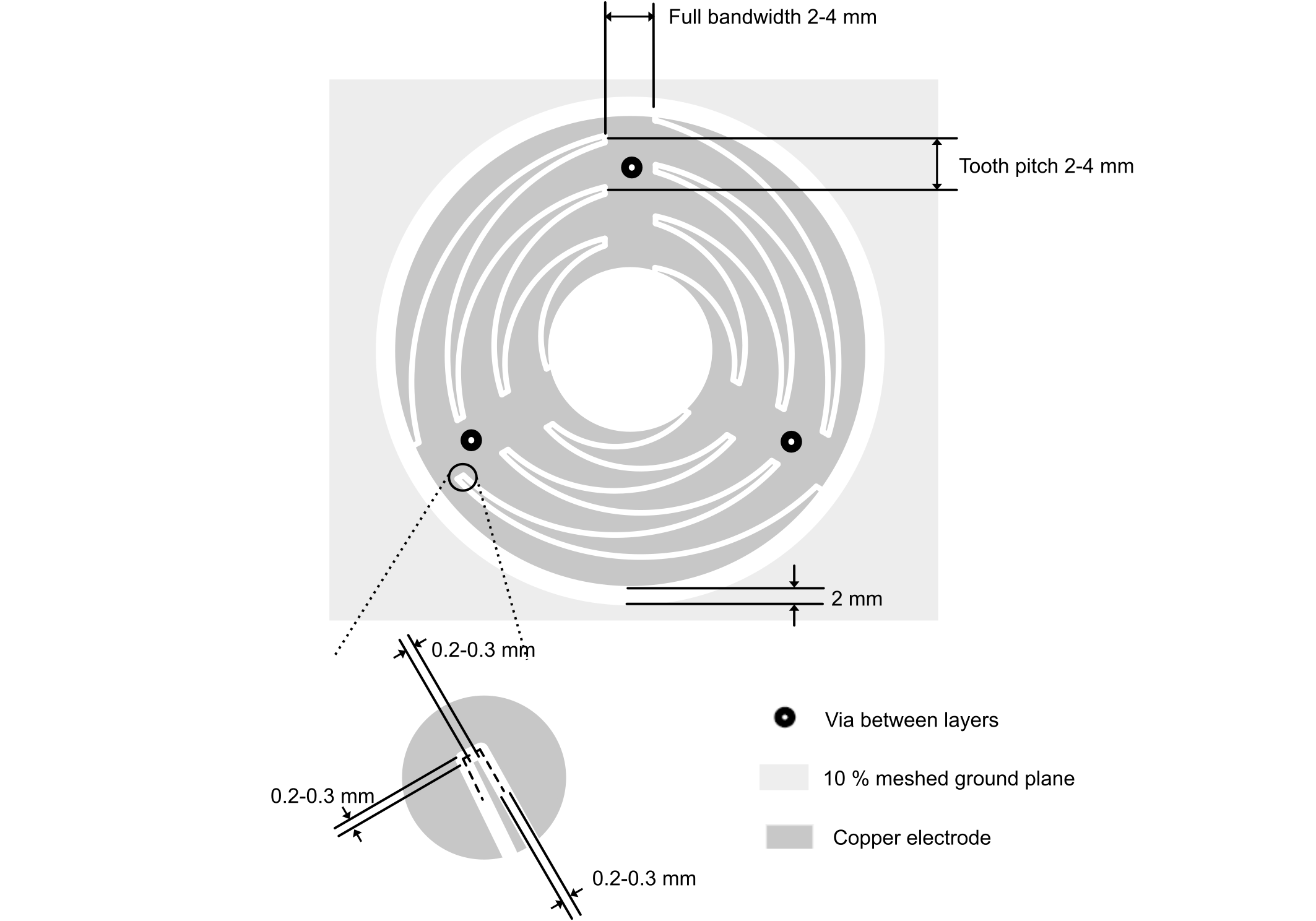
Like for the linear sensor, the size of the rotary sensor can be increased by using the interlaced pattern design. This allows a smoother transition and a higher sensitivity.
To cover a large range of sizes, more teeth are added inside the rotary touch sensor rather than increasing the size of an individual tooth (see the figure below).Figure 22. Interlaced patterned rotary sensor (3 channels/3 electrodes)
Rotary sensor with central touchkey
A touchkey can be located in the center of a rotary sensor. This touchkey has a lower sensitivity compared to other single touchkeys. To reduce the loss of sensitivity induced by the center touchkey on the rotary sensor, it is recommended to place the center touchkey and rotary sensor electrodes on the same acquisition bank. The pattern of the central touchkey must be as symmetrical as possible so that the loading effect on the rotary sensor is also symmetrical.
Specific recommendations
LEDs and sensors
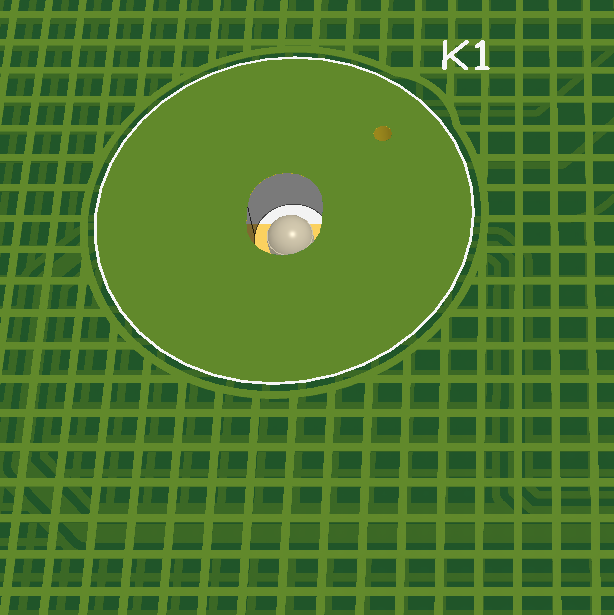
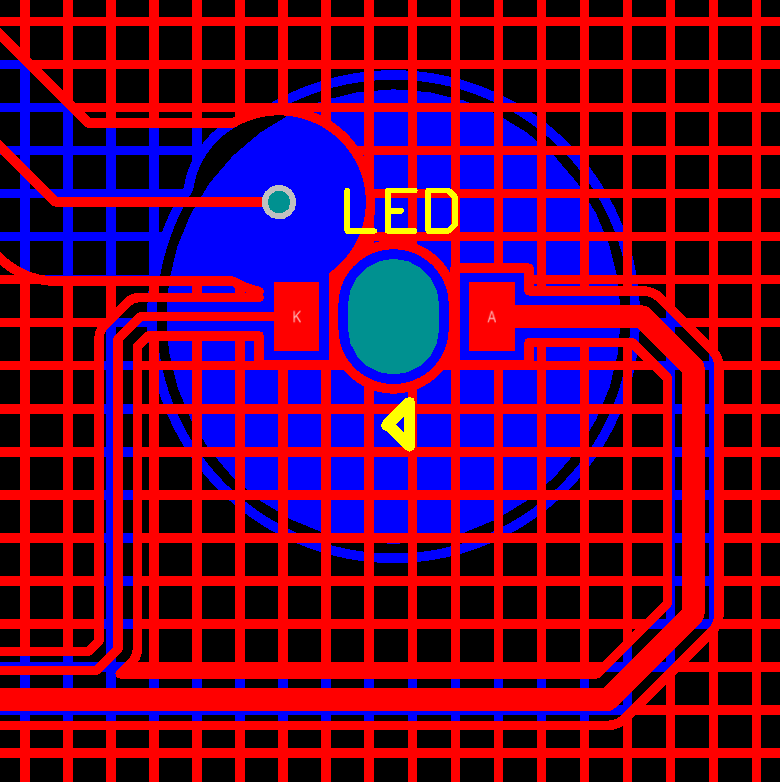
In some cases, a hole must be inserted in the sensor electrode to create a back-lighting touchkey (see the figures below). This is a very common solution that does not involve a sensitivity dip in the middle of the sensor electrode as the electric field tends to close over above the hole. As the sensor area decreases, there is a corresponding decrease in sensitivity.Figure 23. Back-lighting touchkeyFigure 24. PCB 3D top viewFigure 25. PCB bottom view
Driven shield
The principle of a driven shield is to drive the shield plane with the same signal as the electrode. Using a driven shield instead of a grounded shield brings the following advantages:
The parasitic capacitance between the electrode and the shield no longer needs to be charged. This cancels the effect on the sensitivity.
A driven shield is useful for certain applications where shielding may be required for the reasons listed below:
to protect the touch electrodes from a noise source
to remove touch sensitivity from the cable or track between the electrode and the sensing MCU
to increase the system stability and performance when a moving metal part is close to the electrode
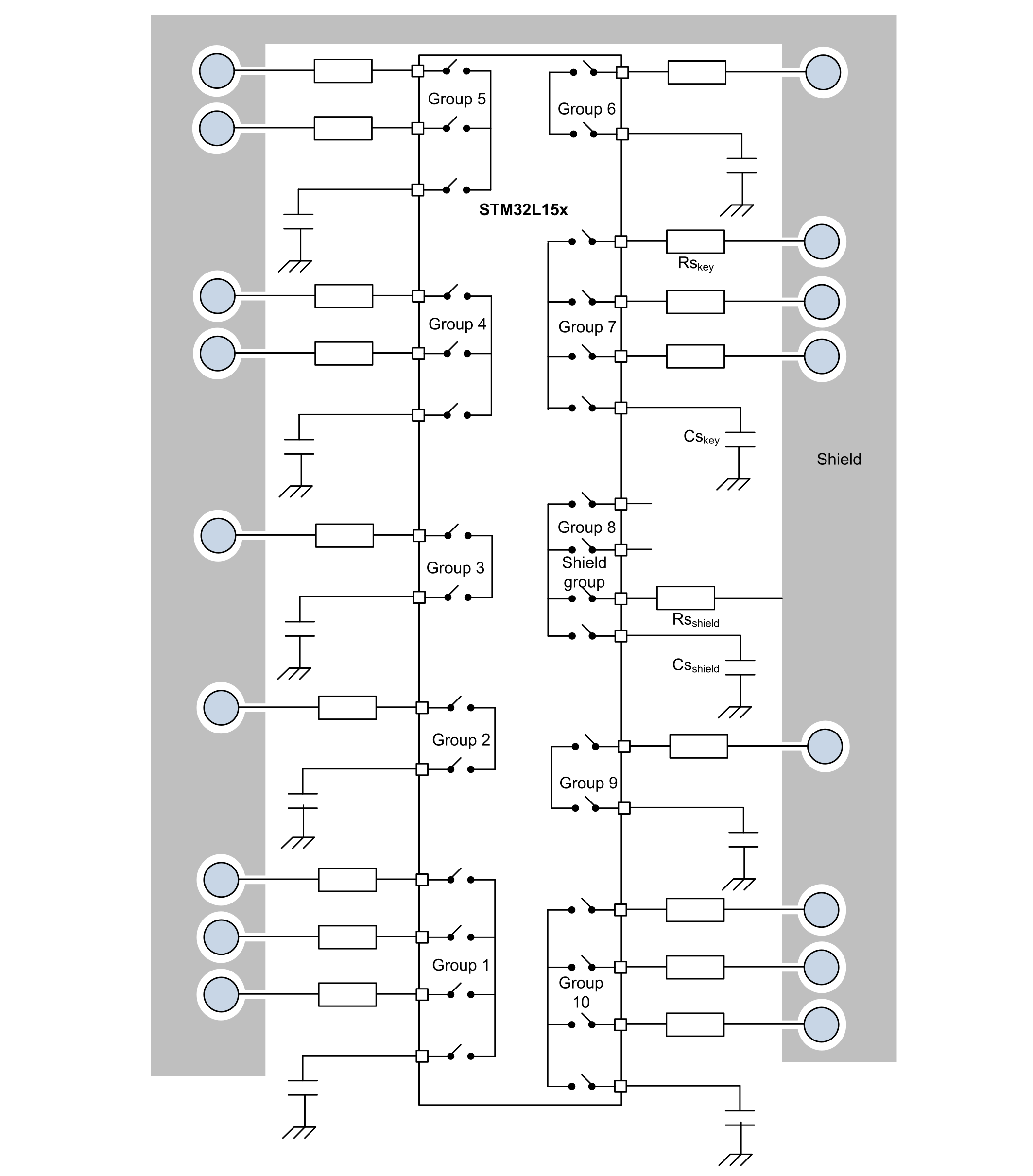
If the design uses the charge transfer acquisition principle to have an efficient shield, its waveform must be similar to the one of the touchkey.
The CS/CX of the shield must be in the same range as the CS/CX of the touchkeys.
Using CSshield = k x CSkey, with k = (shield area)/(electrode area), usually gives good results.
The CS of the shield does not need to be a high grade capacitor. Any type works.
The noise/ESD protection resistor may be mandatory on the shield because it may be exposed to ESD. In order not to modify the pulse timings, the RSshield must be in the range of RSkey/k.
Figure 26. STM32L driven shield example using the charge-transfer acquisition principle
Using electrodes separated from the PCB
Surface electrodes can be used as they create a sensitive area on the bottom surface of the panel and are not close to the PCB.
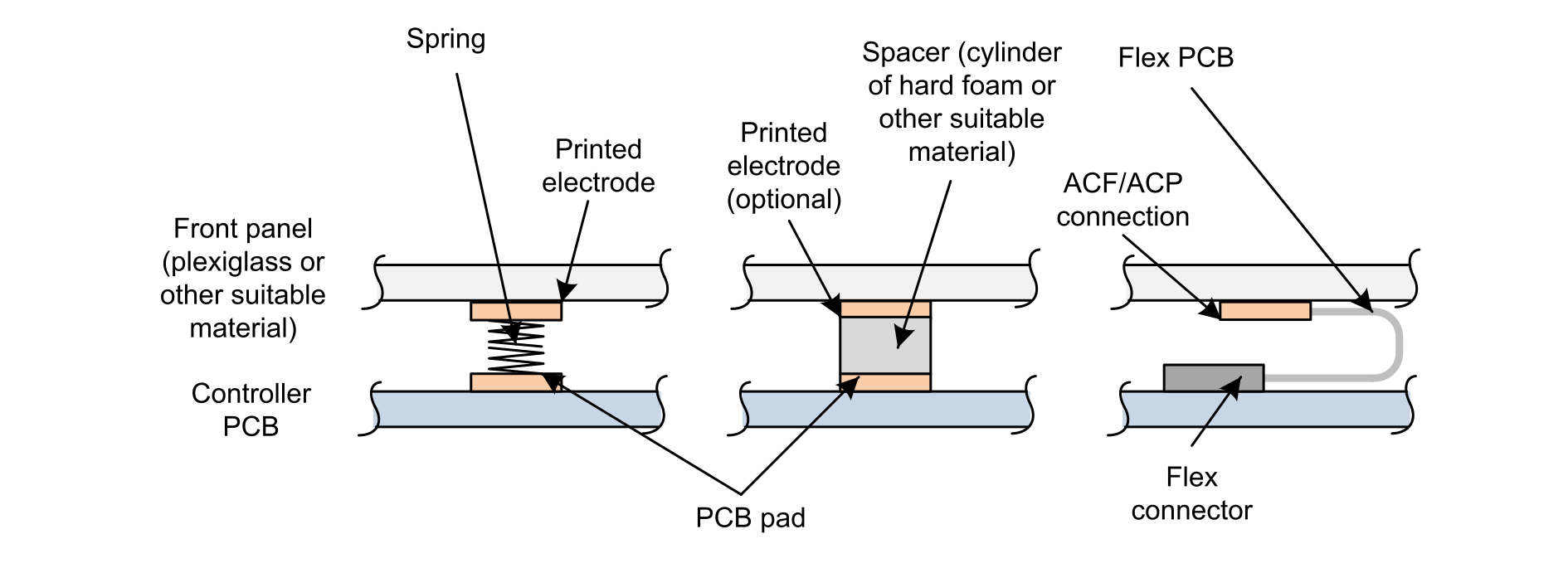
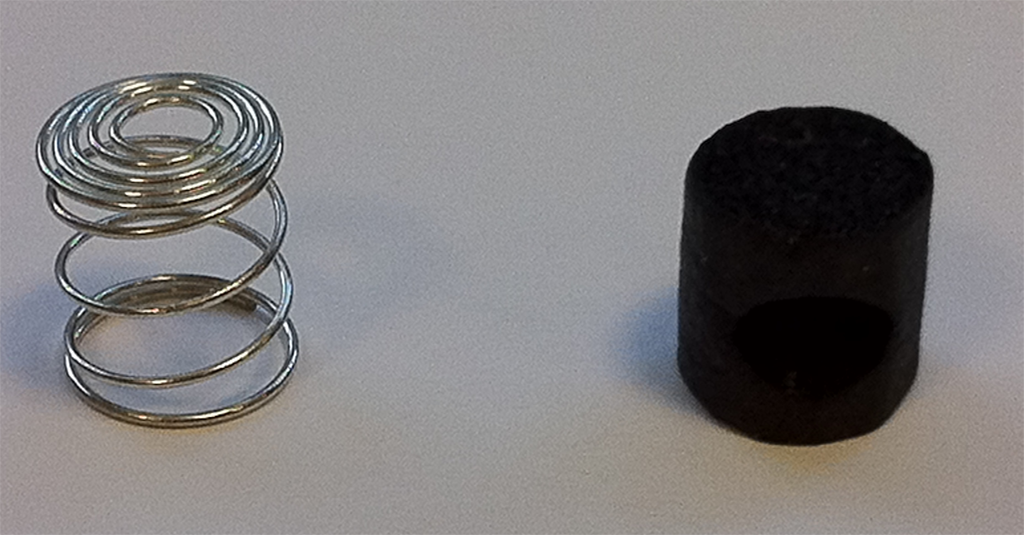
One option is to print an electrode array on the inner surface of the front panel, with electrode shape rules as described in Touchkey sensor and materials as described in Electrode and interconnection materials. The sensors can be connected using spring contacts, conductive foam or rubber, or a flex tail attached using ACF/ACP (anisotropic conductive film/anisotropic conductive past) as shown in the figures below.Figure 27. Printed electrode method showing several connection methodsFigure 28. Spring and foam picture (both are not compressed)
With this technique, the area where the interconnection is made is touch-sensitive too.
PCB and layout
Sensor track length and width
The parasitic capacitance of a track depends on its length and width. Besides that, a long track can create an antenna effect, which may couple noise. So, the main rule is that the shorter and thinner the track is, the smaller the parasitic capacitance.
The tracks must be routed as thin as the PCB technology allows to and shorter than 10 cm for standard or flexible PCBs.
Sensor track routing
The main goal when laying out the PCB, is to minimize the interactions between elements or, if they cannot be minimized, to make them uniform for all capacitive elements.
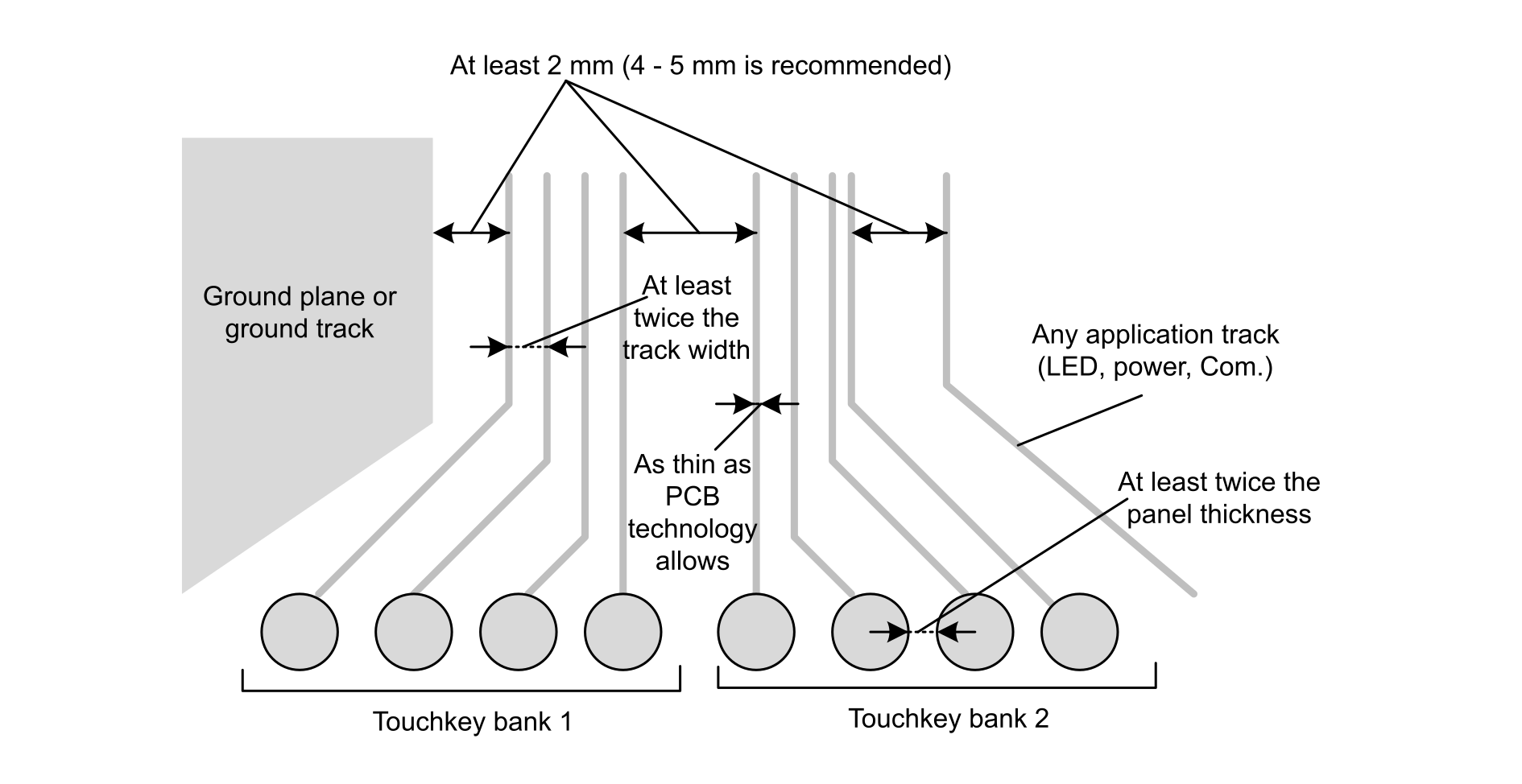
The touch sensing controller algorithms used to acquire touchkey, linear sensor and rotary sensor signals, take into account that the capacitance of each array is different. However, things must be kept as balanced as possible (see the figure below).Figure 29. Track routing recommendation
Electrode banks
A set of electrodes that are driven simultaneously during the acquisition is called an acquisition bank. This set of electrodes and tracks interact less with each other and can be routed closer. Typically, a spacing of twice the track width is sufficient.
For electrodes not belonging to the same bank, coupling must be avoided. A spacing of at least 2 mm is required, and 4 to 5 mm is recommended (see Figure 29 Track routing recommendation).
Electrode spacing
To avoid cross detection on adjacent electrodes, the gap must be kept at least twice the panel thickness between electrodes (see Figure 29 Track routing recommendation).
Interaction with other tracks
To avoid creating coupling with lines driving high frequency signals, the sensor tracks must be crossed perpendicularly with the other tracks. This is especially true for communication lines, where it is forbidden to route them in parallel with the sensor tracks. To avoid such a configuration, the pins of the microcontroller must be selected and grouped by function. When it is possible, all the sensor pins are consecutively distributed on one or several sides of the microcontroller package (pins used as GPIOs, like the LED drivers and communication lines).
Some pins must be dedicated to be used as sensors and not shared with other features. Sharing tracks produces parasitic capacitance due to re-routing of the sensor tracks, and impacts the sensitivity.
Component placement
To reduce the sensor track lengths, the microcontroller must be placed very close to the sensor electrodes. The microcontroller must also be centered among the sensors to balance the parasitic capacitance and to put a ground layer above it.
The ESD protection resistors must also be placed as close as possible to the microcontroller to reduce the track length that may drive ESD disturbance directly to the microcontroller without protection. These ESD resistors must be selected according to the acquisition method recommendations.
Ground considerations
Ground plane
The sensors and the ground must be routed on the same layer, while the components and other tracks are routed on the other layers.
When a multilayer PCB is used, both sides of the PCB are commonly grounded to improve the immunity to noise. Nevertheless, the ground has an effect on the sensitivity of the sensor. The ground effect is to increase CX, that reduces the sensitivity as the ratio CT/CX decreases. To balance between noise immunity and sensitivity, the use of partial grounding on both sides of the PCB through a 15% mesh on the sensor layer and a 10% copper mesh for the opposite side with the electrodes and tracks, is recommended.
Ground around sensor
When the ground plane is on the same layer as the sensor, it surrounds the sensors. To avoid increasing CX, a gap must be kept between the sensor and the ground.
This gap size must be at least 2 mm (4-5 mm recommended) and must also be respected with any noisy application track or power supply voltage.
There are two different cases listed below:
Distance to GND and power supply voltage: shorter distance is possible but impacts significantly the touchkey sensitivity.
Distance to noisy signal: the detection may completely stop working in case the distance is not respected.
Special care must be taken to balance the ground around the sensors. This is particularly true for a rotary or linear sensor (see Driven shield).
CAUTION:
Floating planes must never be placed close to the sensors.
Ground plane example
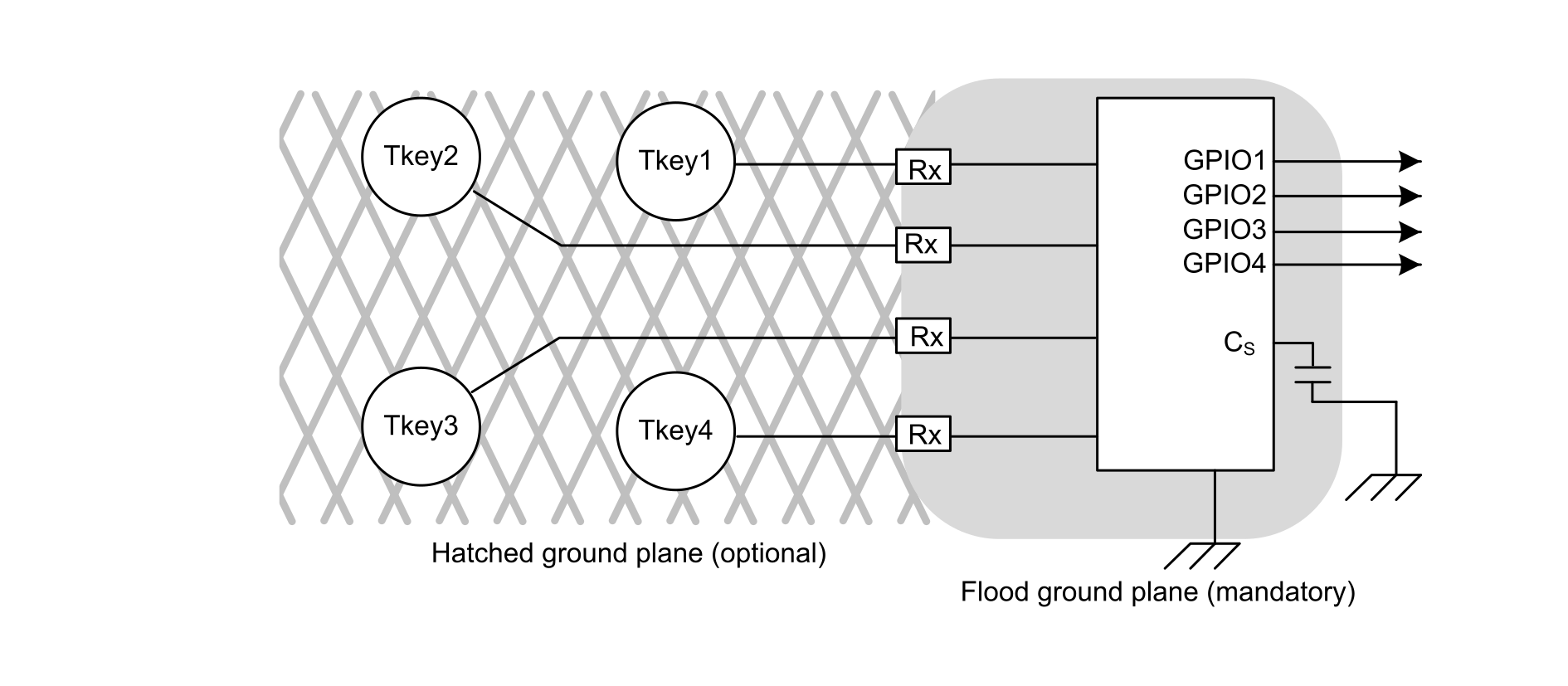
A full ground plane is mandatory below the MCU up to serial resistors (see the figure below). It must cover the tracks between the MCU and the serial resistors and sampling capacitors.Figure 30. Ground plane example
Hatched ground plane
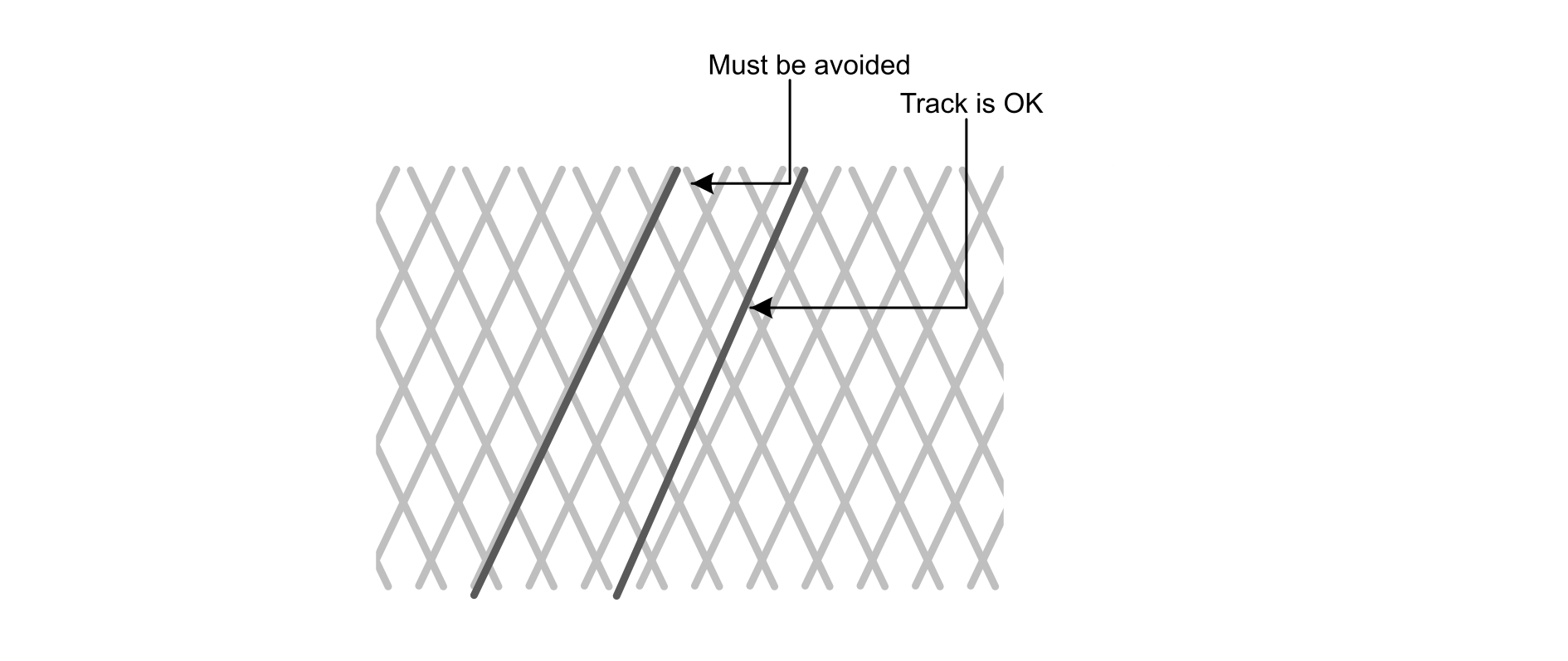
Here are some guidelines for satisfactorily designing an application with a hatched ground plane (see the figure below):
The signal track must cross the ground lines as little as possible.
The signal track must never follow the ground lines.
Figure 31. Hatched ground and signal tracks
Rotary and linear sensor recommendations
Given that the sensitivity must be very high in order to be able to detect the position most accurately, neither the power plane nor any application signal should run under a rotary or linear sensor.