AN5105 ยท Application noteGetting started with touch sensing control on STM32 MCUs
Download .pdfOpen in the full document

Tuning

Tuning

For tuning purposes, dedicated application notes are available.

Sensors

Table 19 Sensors documentation gives a list of documents containing information about the sensor.

Table 19. Sensors documentation
IdTitleChapters
AN4312Design with surface sensors for touch sensing applications on MCUsAll chapters

ESD

Table 20 ESD documentation gives a list of documents containing information about the ESD.

Table 20. ESD documentation
IdTitleChapters
AN3960ESD considerations for touch sensing applications on MCUsAll chapters

CN

Table 21 Conducted noise documentation gives a list of documents containing information about the conducted noise.

Table 21. Conducted noise documentation
IdTitleChapters
AN4299Improve conducted noise robustness for touch sensing applications on MCUsAll chapters

CS

Table 22 Sampling capacitor documentation gives a list of documents containing information about the sampling capacitor.

Table 22. Sampling capacitor documentation
IdTitleChapters
AN4310Sampling capacitor selection guide for touch sensing applications on MCUsAll chapters

Uses cases

How to set up a TSC application based on TSL is explained in the following two examples. These examples describe the way to set up TLS on STM32F072B-DISCO and STM32L0538-DISCO discovery boards.

This description can be used as an example to set up other TSC series such us L4, F3, L0, L1 and L4+.

A STM32CubeMX new feature is available from version 4.24.0. This new feature can help to speed up TSL, TouchSensingLib, installation.

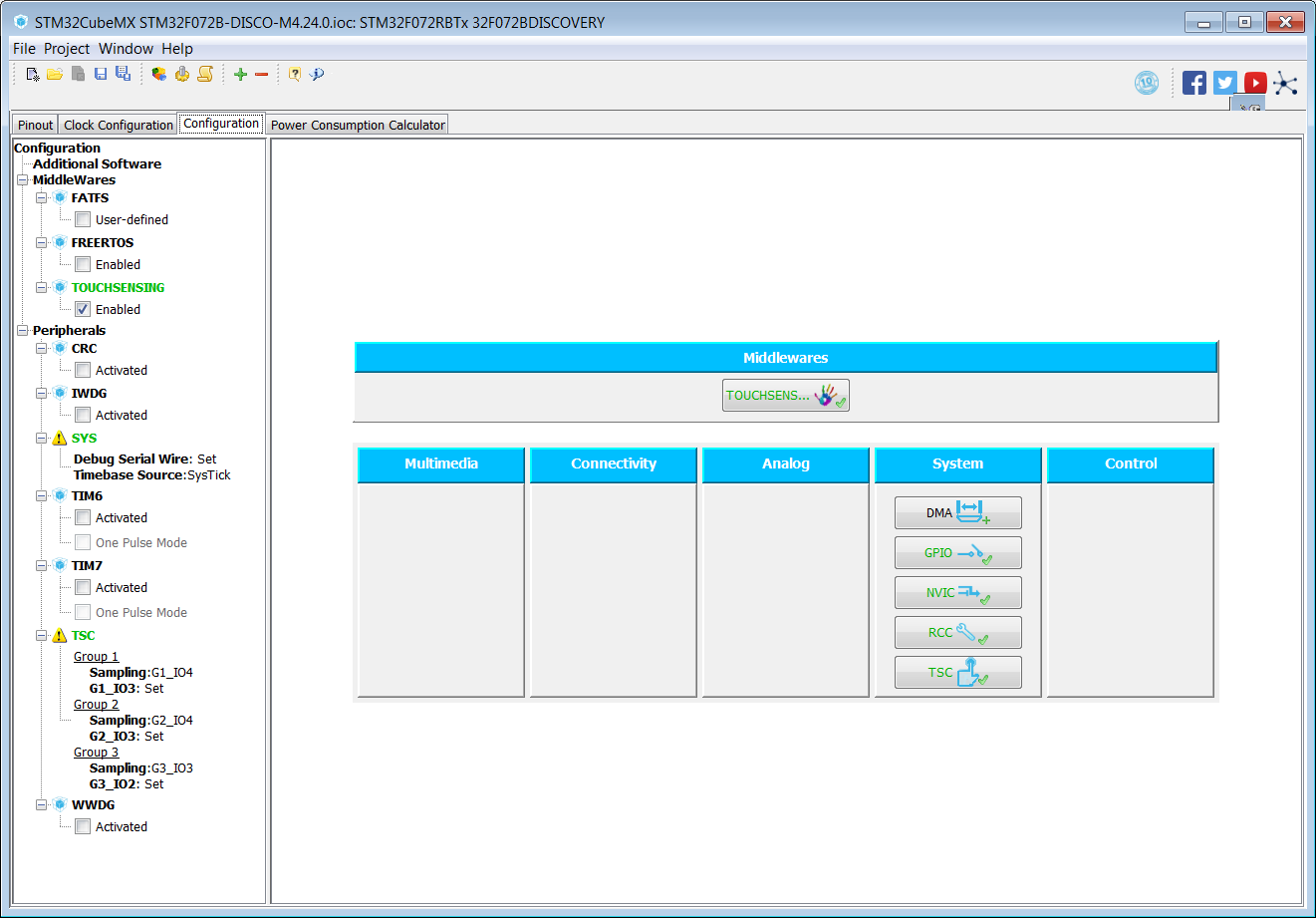
Figure 21. Main project panel

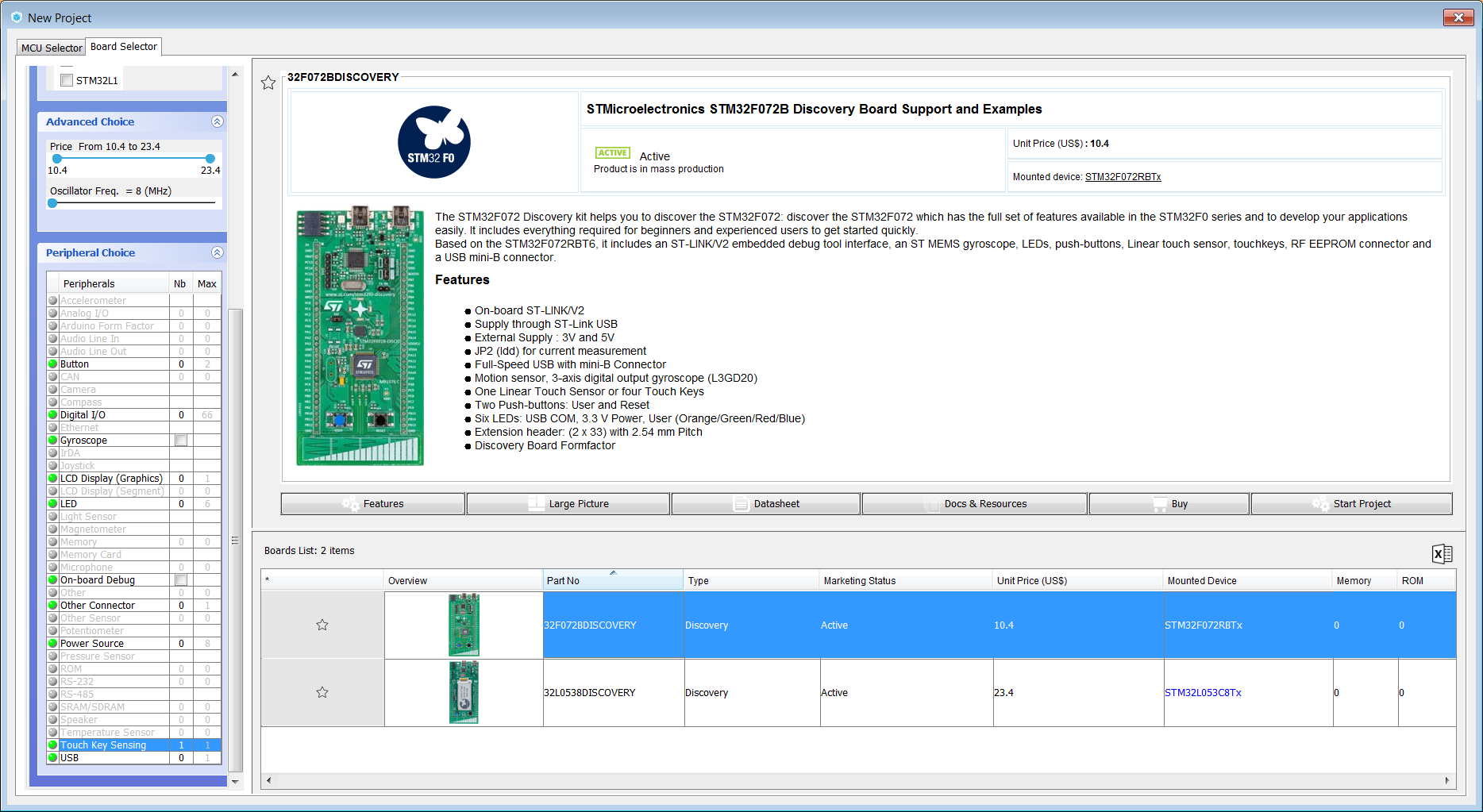
Discovery board: STM32F072B-DISCO

The STM32F072 Discovery kit helps the user to discover the STM32F072, which has the full set of features available in the STM32F0 series. The STM32F072 Discovery kit also helps the user to develop applications easily. It includes everything required for beginners and experienced users to get started quickly.

Based on the STM32F072RBT6, it includes an ST-LINK/V2 embedded debug tool interface, an ST MEMS gyroscope, LEDs, push-buttons, linear touch sensor, RF EEPROM connector and a USB mini-B connector.

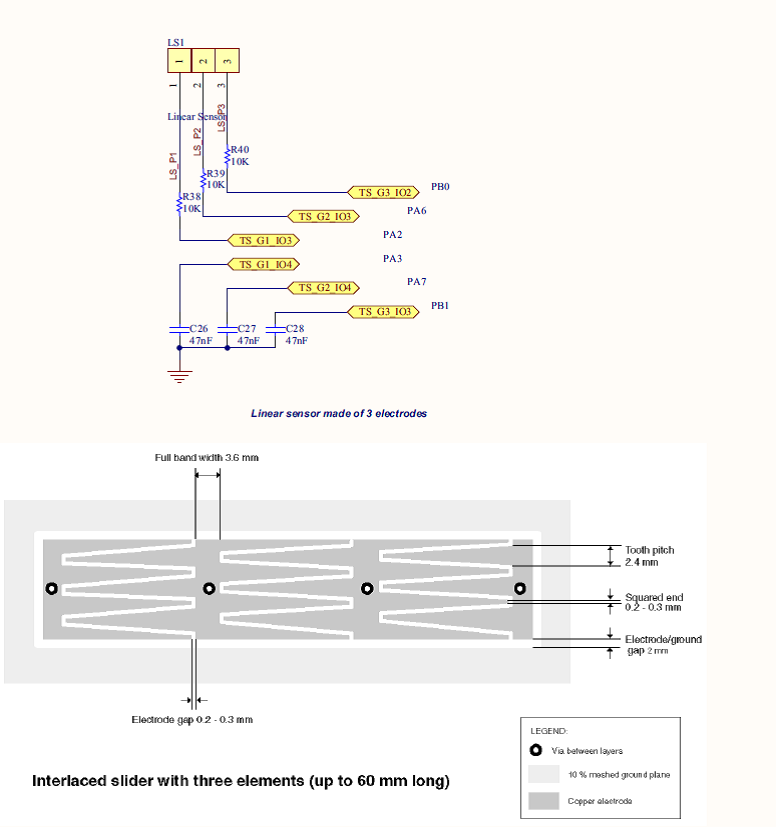
This discovery board provides a three channels linear (or slider) sensor. The main characteristics of these sensors are:

  • On-board ST-LINK/V2
  • Supply through ST-LINK USB
  • External Supply: 3V and 5V
  • JP2 (Idd) for current measurement
  • Full-Speed USB with mini-B Connector
  • Motion sensor, 3-axis digital output gyroscope (L3GD20)
  • One Linear Touch Sensor or four Touch Keys
  • Two push-buttons: User and Reset
  • Six LEDs: USB COM, 3.3 V Power, User (Orange/Green/Red/Blue)
  • Extension header: (2 x 33) with 2.54 mm pitch
  • Discovery Board Formfactor

STM32F072B-DISCO TSC group and sensor activation

To activate the TSC group, sampling capacitors and sensor channels follows the below steps:

  • activate TSC according schematics information.
  • desactivate unrelevant peripheral like USB, SPI, NCF(L0), EPaper(L0), MFX(L0)

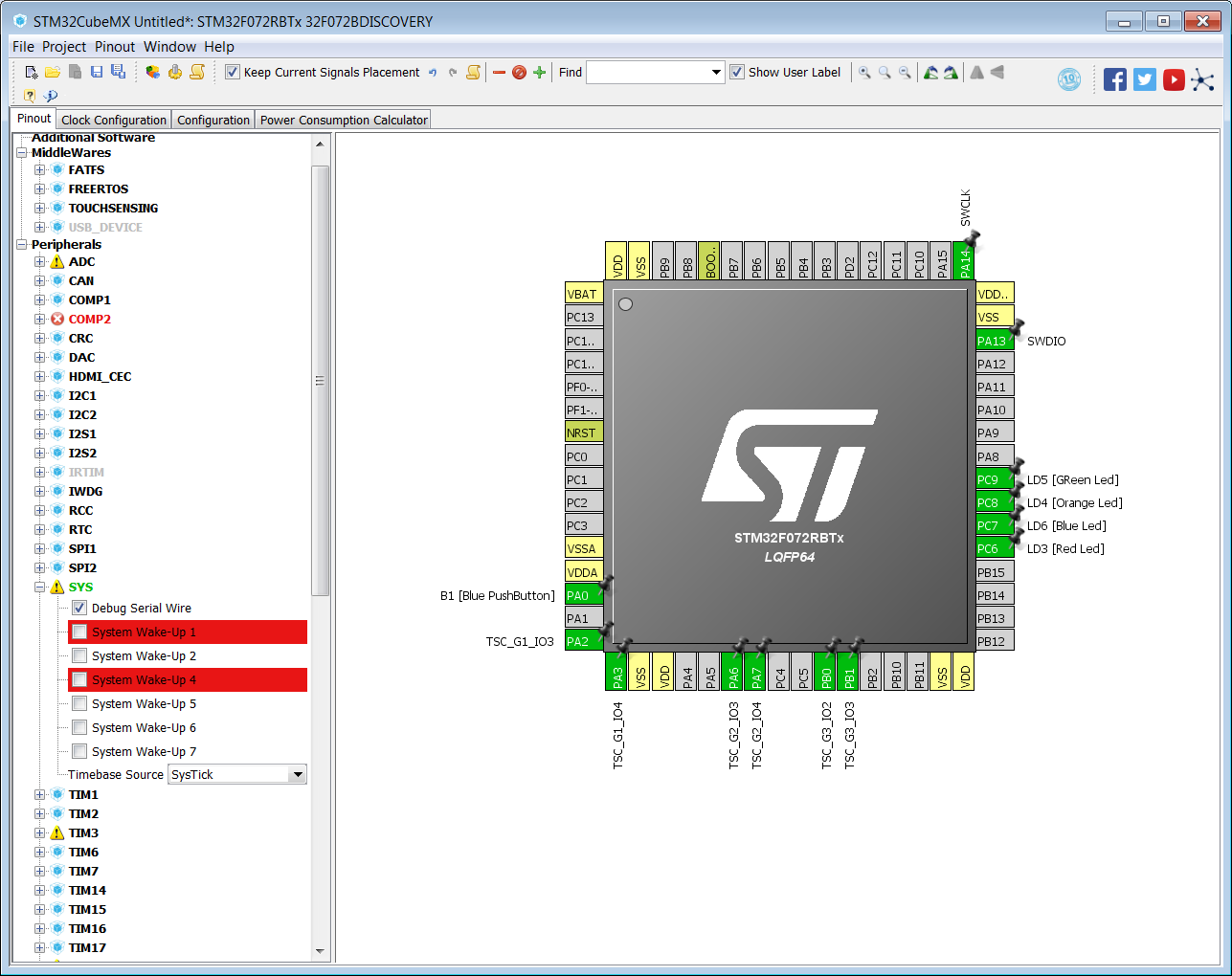
SWD peripheral must be set according to Figure 24 STM32F072B-DISCO pinout SWD.

Figure 24. STM32F072B-DISCO pinout SWD

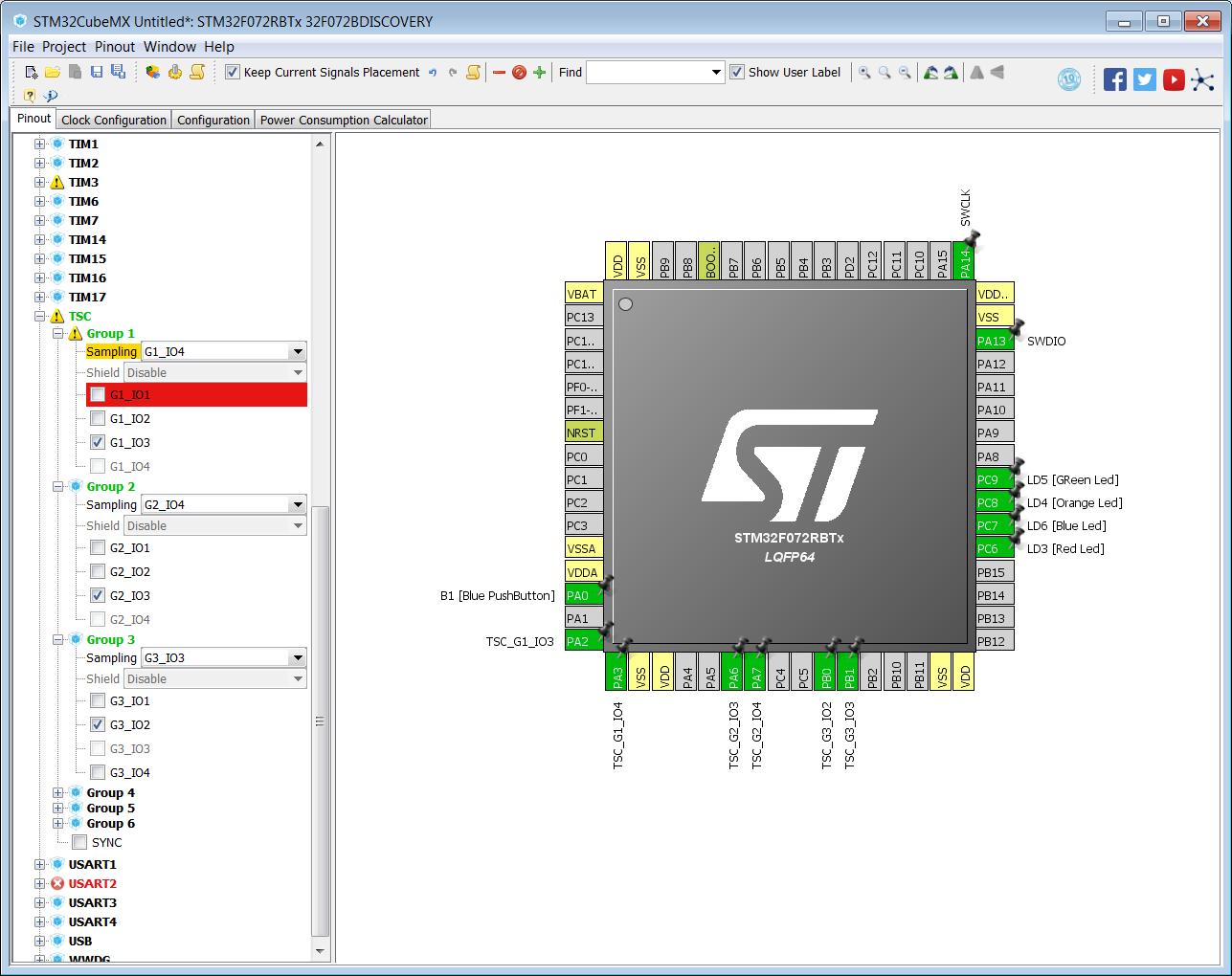
TSC peripheral must be set according to Figure 25 STM32F072B-DISCO pinout TSC.

Figure 25. STM32F072B-DISCO pinout TSC

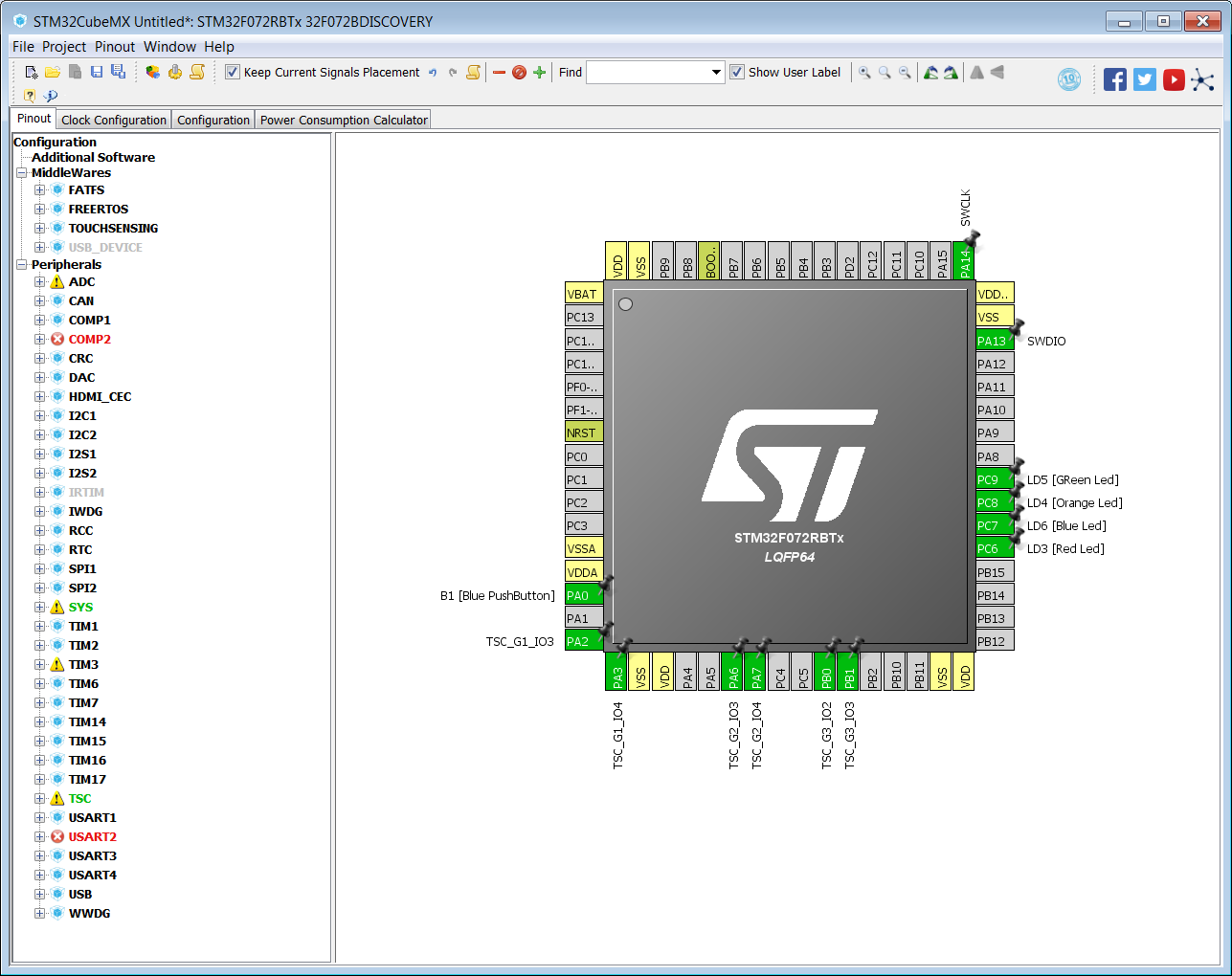
Figure 26 STM32F072B-DISCO pinout overview shows the results obtained.

Figure 26. STM32F072B-DISCO pinout overview

STM32F072B-DISCO touchsensing library

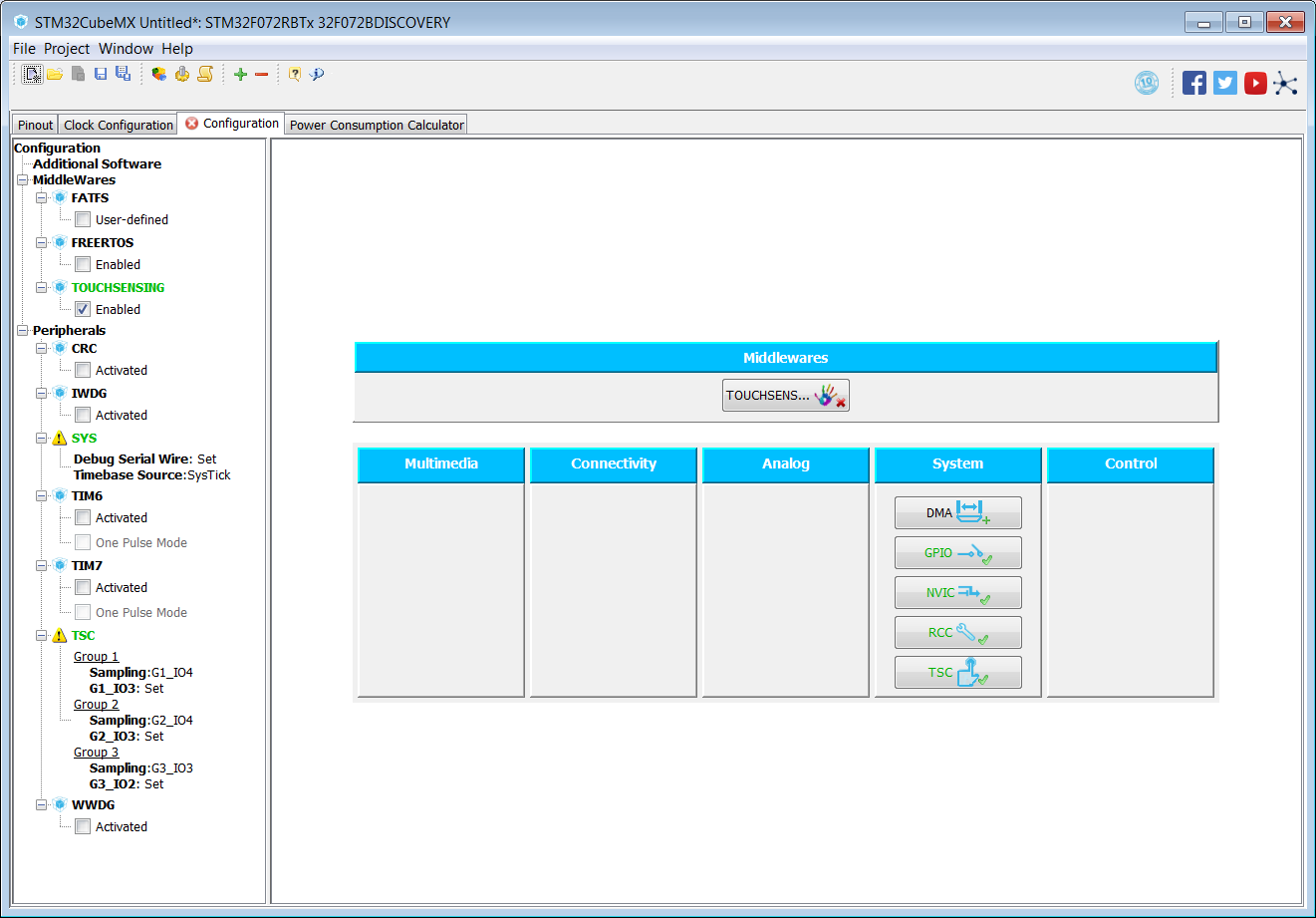
To activate the TLS usage, switch on TOUCHSENSING box configuration.

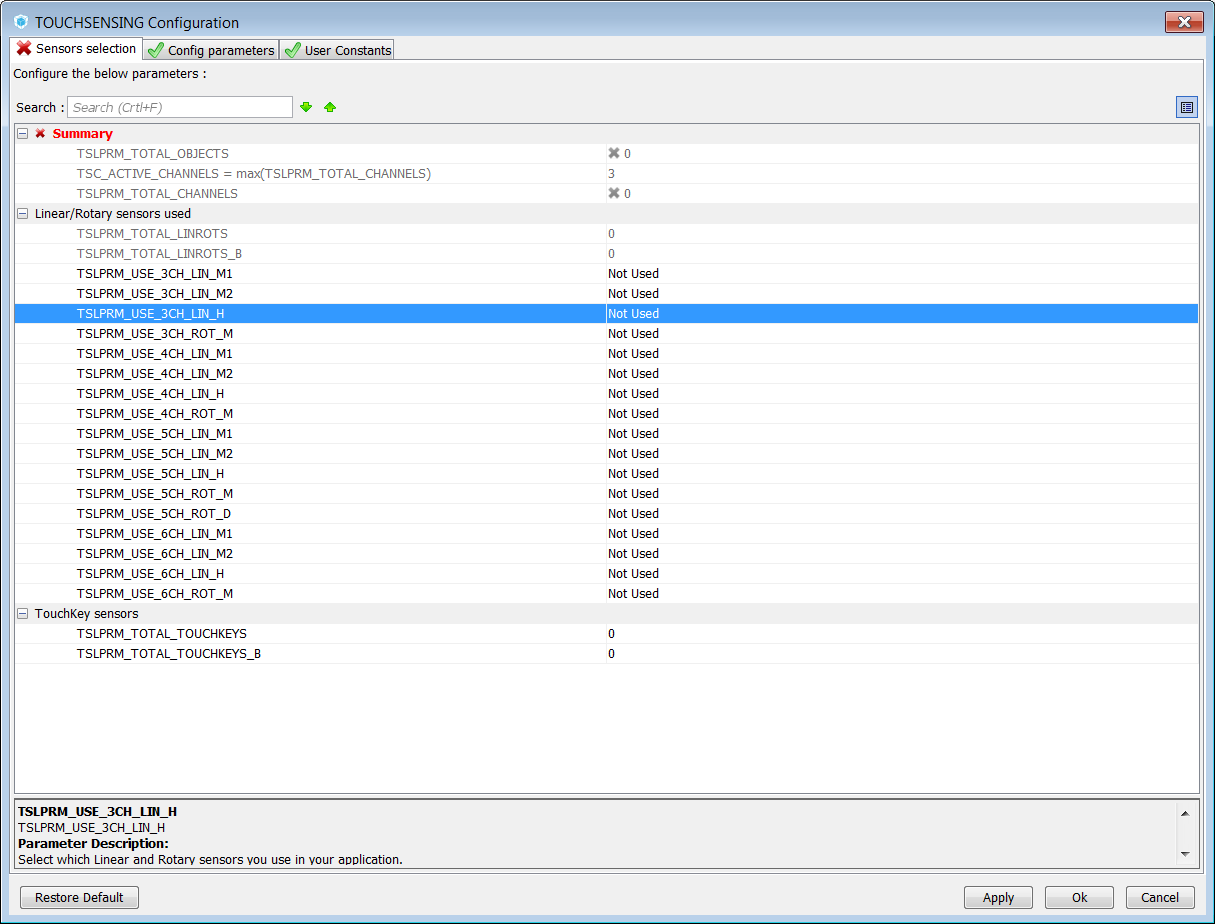
Figure 28. TOUCHSENSING box configuration

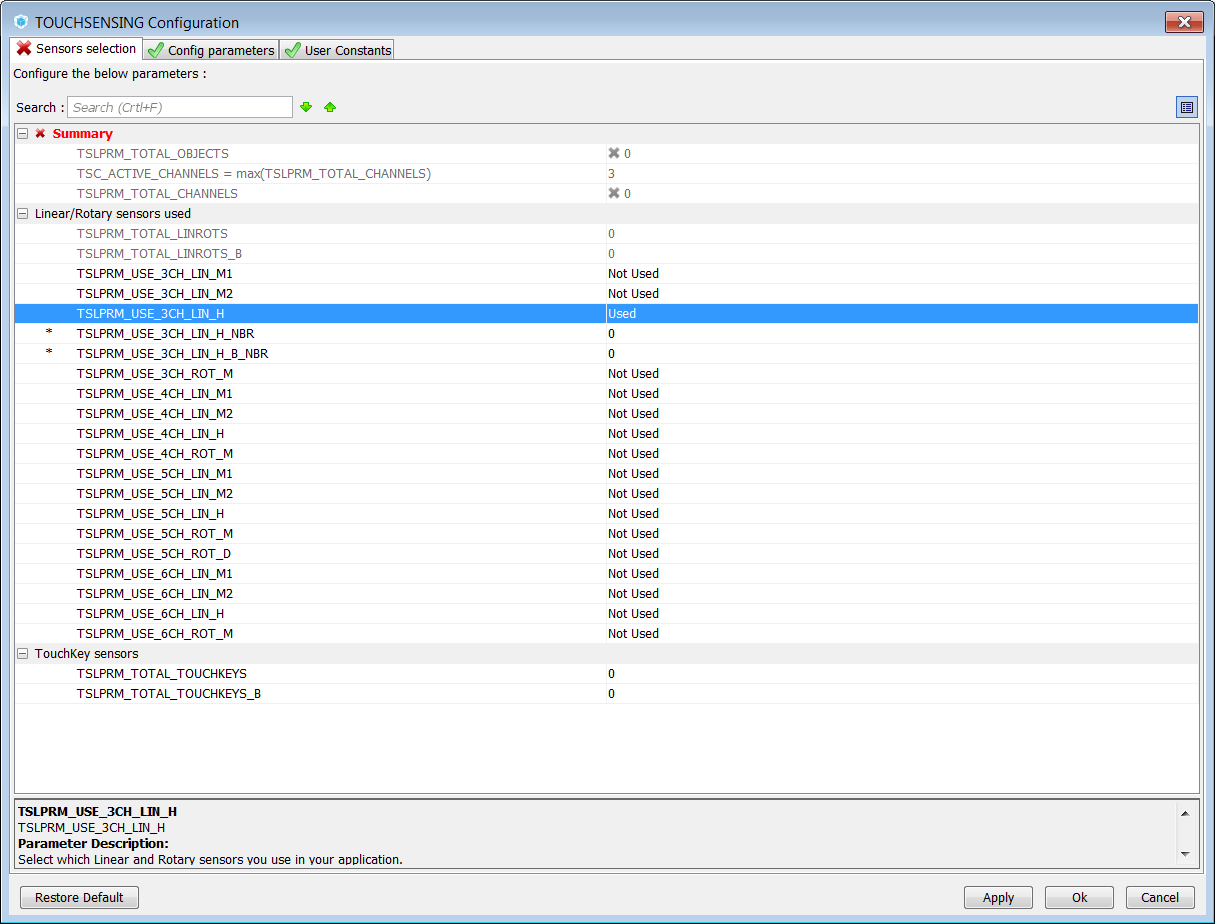
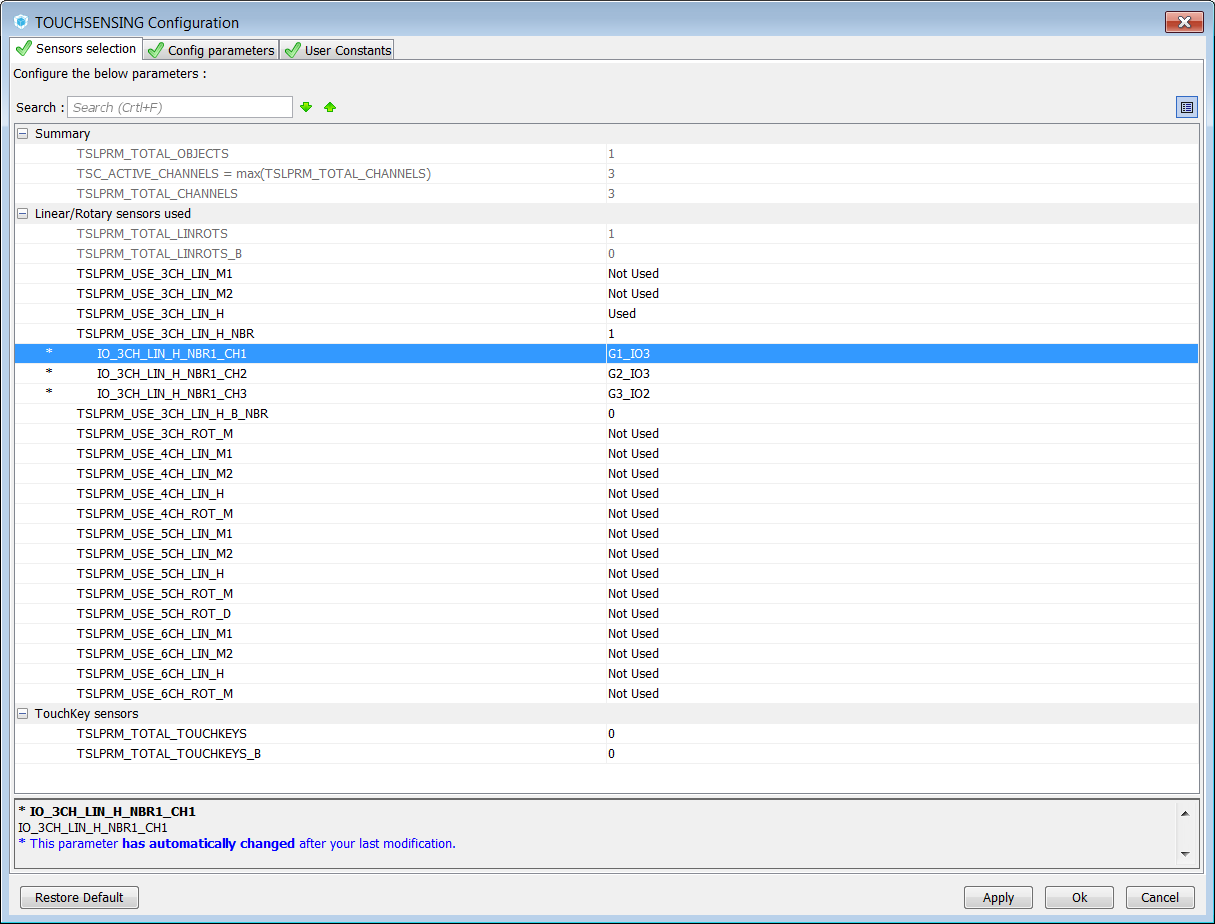
Select three channels Linear slider and assign dedicated Gx_IOy.

  • For training purpose, the user can use three channels Linear slider as three keys sensors
  • Select three keys and assign dedicated Gx_IOy

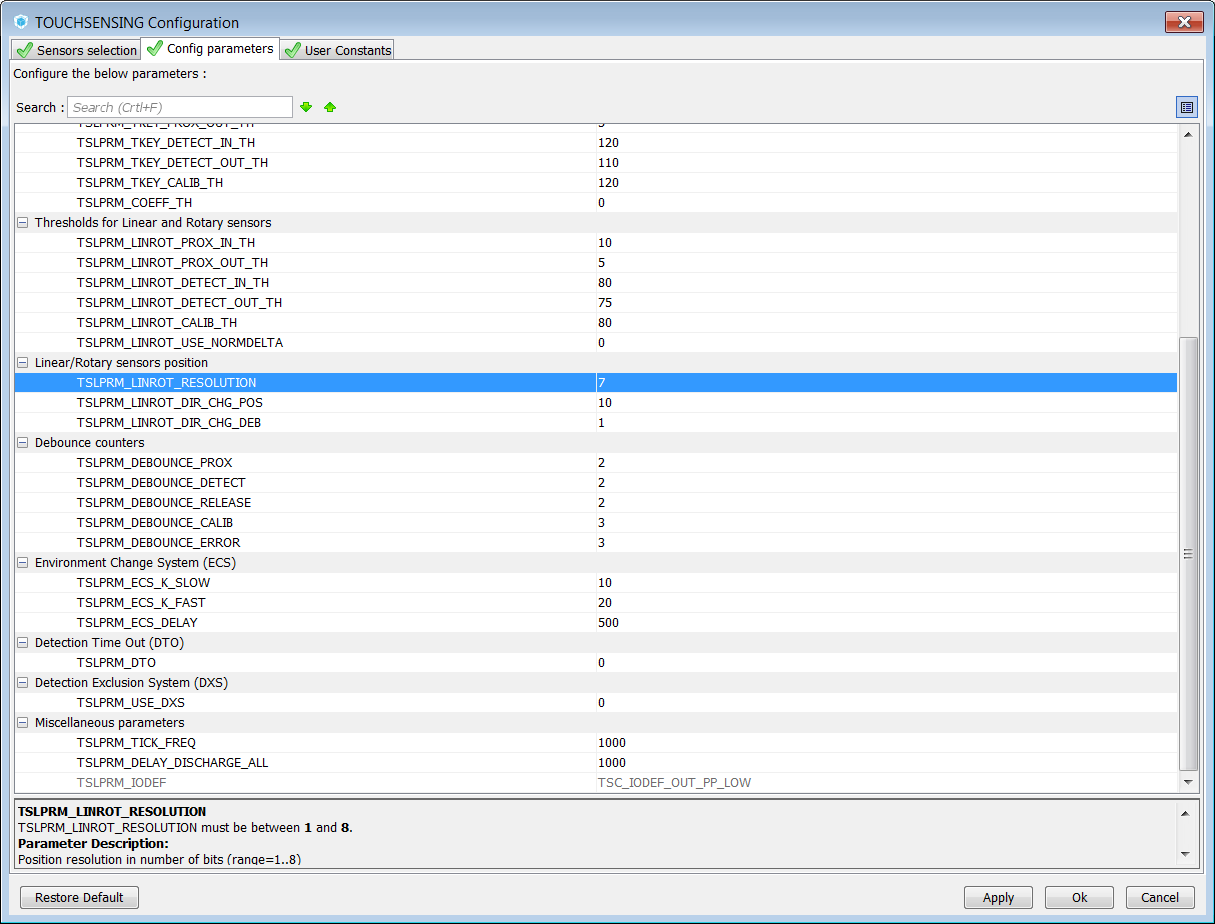
Figure 29 STM32F072B-DISCO sensor selection to Figure 33 STM32F072B-DISCO sensor selection step5 show these steps.

Figure 29. STM32F072B-DISCO sensor selection
Figure 30. STM32F072B-DISCO sensor selection step2
Figure 31. STM32F072B-DISCO sensor selection step3
Figure 32. STM32F072B-DISCO sensor selection step4
Figure 33. STM32F072B-DISCO sensor selection step5

STM32F072B-DISCO software basic algorythm

The user needs to write the main application loop.

Example to show keys usage instead of slider usage.

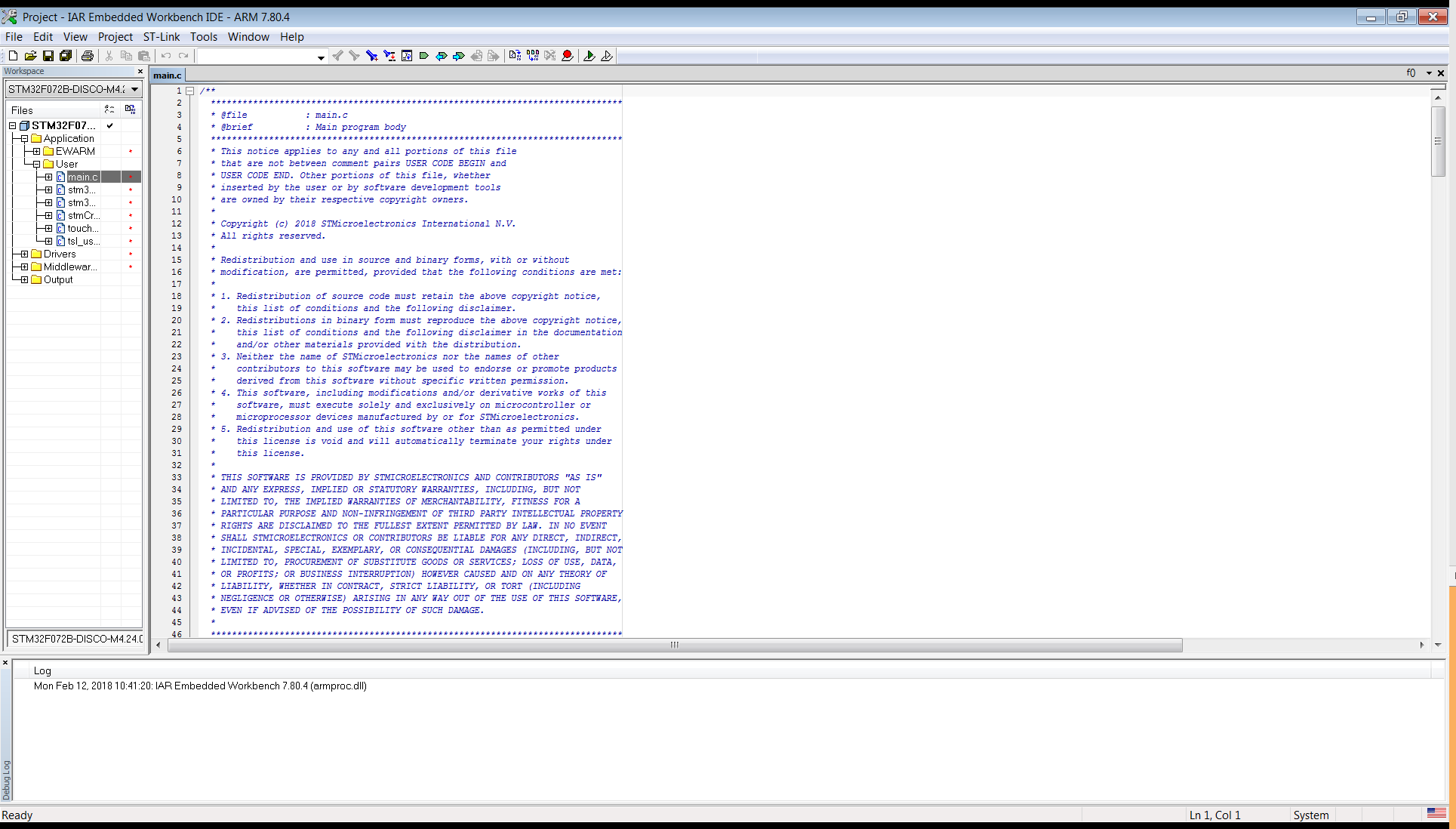
  • Open the IDE and in main.c file add the following lines:
/* USER CODE BEGIN 3 */
    extern TSL_LinRot_T MyLinRots[];
    static uint32_t    cnt=0;
    tsl_user_status_t status = TSL_USER_STATUS_BUSY;
    status = tsl_user_Exec();
    if(TSL_USER_STATUS_BUSY == status)
    {
      // Nothing to do
      if(cnt++%50==0){
        HAL_GPIO_TogglePin(LD3_GPIO_Port, LD3_Pin);
      }
      HAL_Delay(1);
    }
    else
    {
      if(MyLinRots[0].p_Data->StateId == TSL_STATEID_DETECT)
      {
        //TSLPRM_LINROT_RESOLUTION
        if(MyLinRots[0].p_Data->Position >= 5 && MyLinRots[0].p_Data->Position < 50) 
        {
          HAL_GPIO_WritePin(LD4_GPIO_Port, LD4_Pin, GPIO_PIN_SET);
          HAL_GPIO_WritePin(LD6_GPIO_Port, LD6_Pin, GPIO_PIN_RESET);
          HAL_GPIO_WritePin(LD5_GPIO_Port, LD5_Pin, GPIO_PIN_RESET);
        }
        if(MyLinRots[0].p_Data->Position >= 50 && MyLinRots[0].p_Data->Position < 80)
        {
          HAL_GPIO_WritePin(LD6_GPIO_Port, LD6_Pin, GPIO_PIN_SET);
          HAL_GPIO_WritePin(LD4_GPIO_Port, LD4_Pin, GPIO_PIN_RESET);
          HAL_GPIO_WritePin(LD5_GPIO_Port, LD5_Pin, GPIO_PIN_RESET);
        }
        if(MyLinRots[0].p_Data->Position >= 80 && MyLinRots[0].p_Data->Position < 120)
        {
          HAL_GPIO_WritePin(LD5_GPIO_Port, LD5_Pin, GPIO_PIN_SET);
          HAL_GPIO_WritePin(LD4_GPIO_Port, LD4_Pin, GPIO_PIN_RESET);
          HAL_GPIO_WritePin(LD6_GPIO_Port, LD6_Pin, GPIO_PIN_RESET);
        }
      }
      else //if(MyLinRots[0].p_Data->StateId == TSL_STATEID_RELEASE)
      {
        HAL_GPIO_WritePin(LD4_GPIO_Port, LD4_Pin, GPIO_PIN_RESET);
        HAL_GPIO_WritePin(LD5_GPIO_Port, LD5_Pin, GPIO_PIN_RESET);
        HAL_GPIO_WritePin(LD6_GPIO_Port, LD6_Pin, GPIO_PIN_RESET);
      }
    }
  }
  /* USER CODE END 3 */

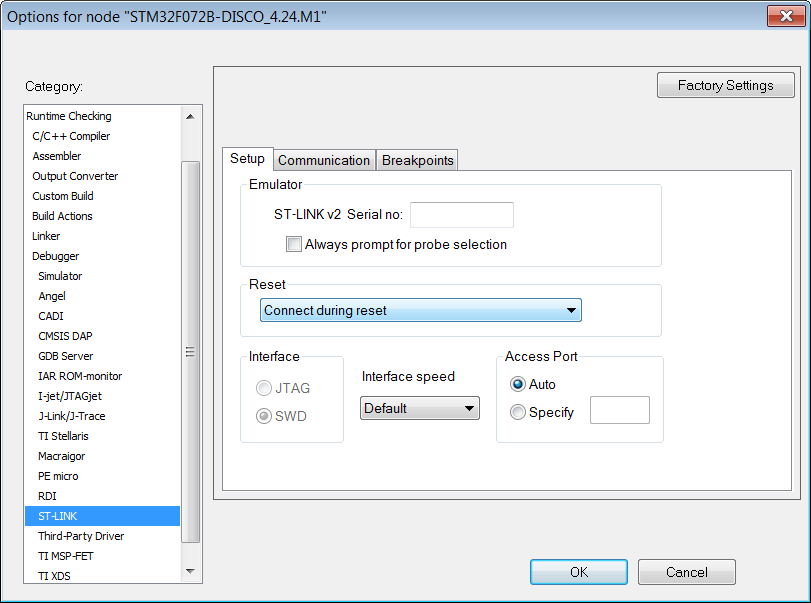
To take care of ST-Link setup, see Figure 38 STM32F072B-DISCO setup.

Figure 38. STM32F072B-DISCO setup

The system is functional and ready to be used. The led blinks according to finger position on the slider.