AN5105 · Application noteGetting started with touch sensing control on STM32 MCUs
Download .pdfOpen in the full document

Discovery board: STM32L0538-DISCO

Discovery board: STM32L0538-DISCO

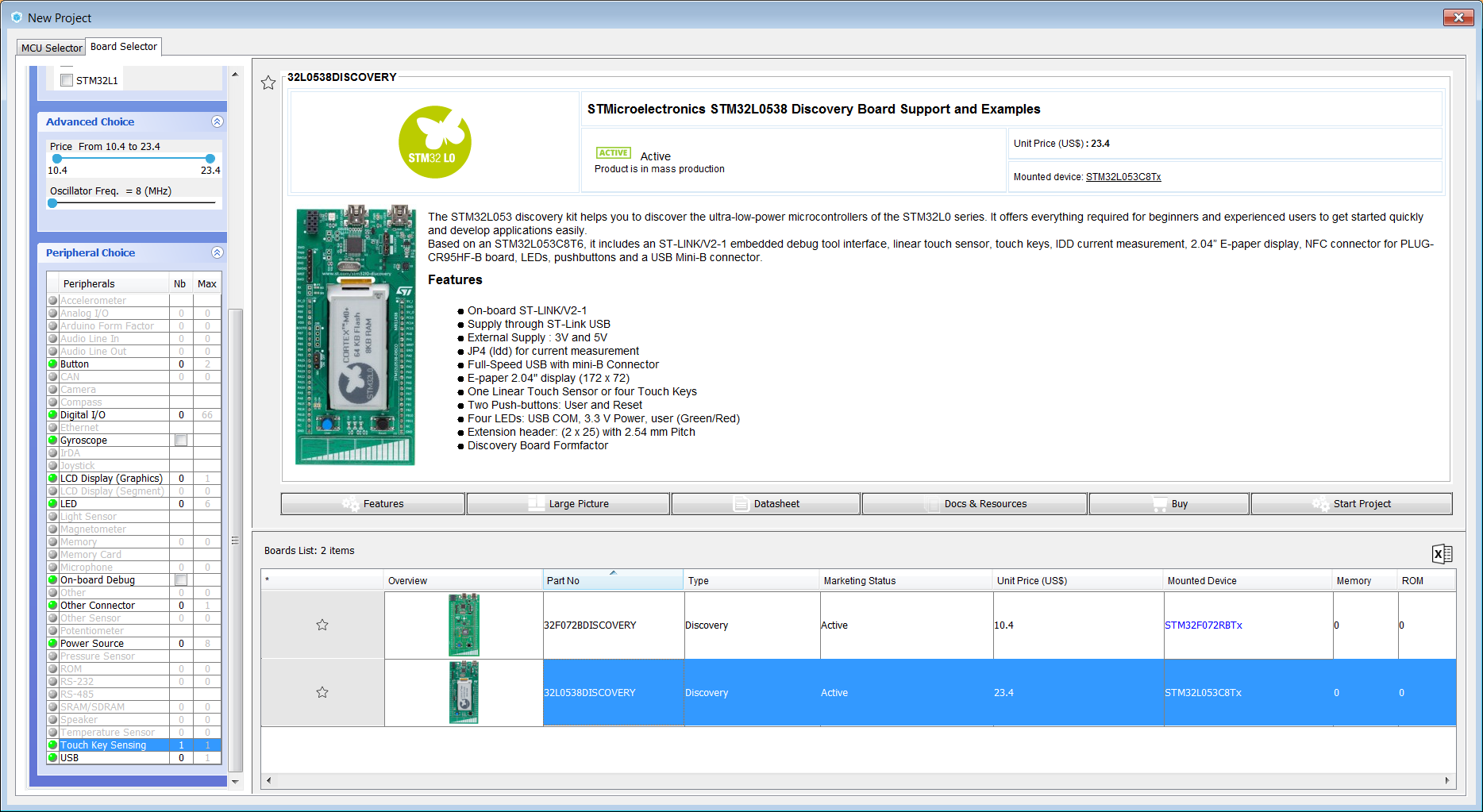
The STM32L053 discovery kit helps you to discover the ultra-low-power microcontrollers of the STM32L0 series. It offers everything required for beginners and experienced users to get started quickly and develop applications easily.

Based on an STM32L053C8T6, it includes an ST-LINK/V2-1 embedded debug tool interface, linear touch sensor, IDD current measurement, 2.04” E-paper display, NFC connector for PLUG-CR95HF-B board, LEDs, push-buttons, and a USB Mini-B connector.

This discovery board provides a three channels linear (or slider) sensor. Their main characteristics are:

  • On-board ST-LINK/V2-1
  • Supply through ST-LINK USB
  • External Supply : 3V and 5V
  • JP4 (Idd) for current measurement
  • Full-Speed USB with mini-B Connector
  • E-paper 2.04" display (172 x 72)
  • One Linear Touch Sensor or four Touch Keys
  • Two push-buttons: User and Reset
  • Four LEDs: USB COM, 3.3 V Power, user (Green/Red)
  • Extension header: (2 x 25) with 2.54 mm pitch
  • Discovery Board Formfactor
STM32L0538-DISCO board selection

Start to select STM32L0538-DISCO board.

Figure 39. STM32L0538-DISCO board selection

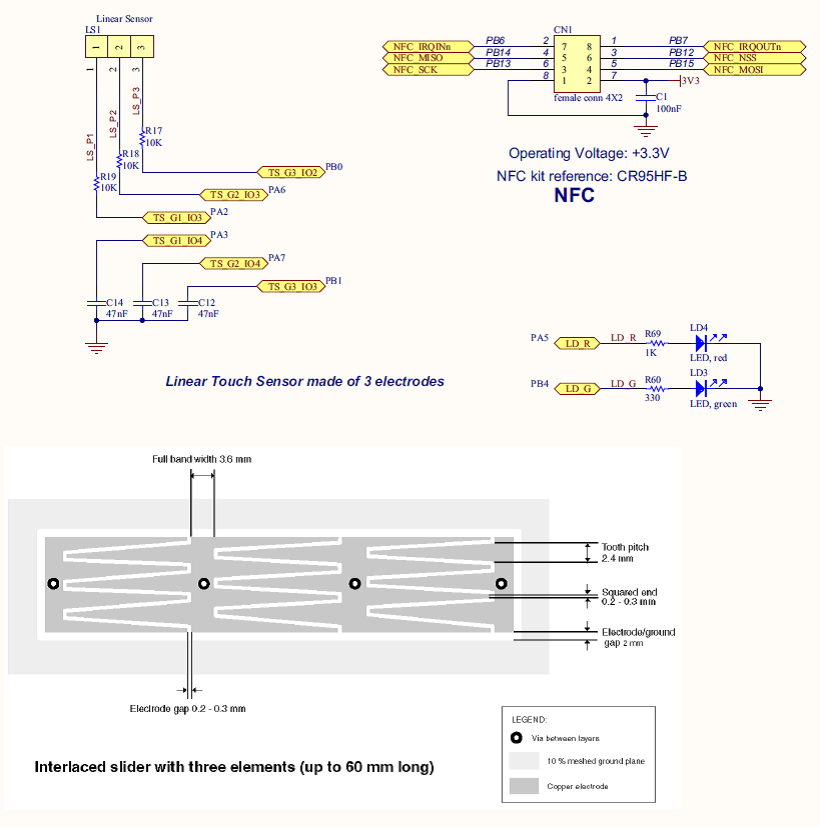
To start linear touch sensor channel acquisition at the same time, three groups are used.

Figure 40. STM32L0538-DISCO board schematics

STM32L0538-DISCO TSC group and sensor activation

To activate the TSC group, sampling capacitors and sensor channels follows the below steps:

  • Activate TSC according schematics information.
  • You can deactivate unrelevant peripheral like USB, SPI, NCF(L0), EPaper(L0), MFX(L0)

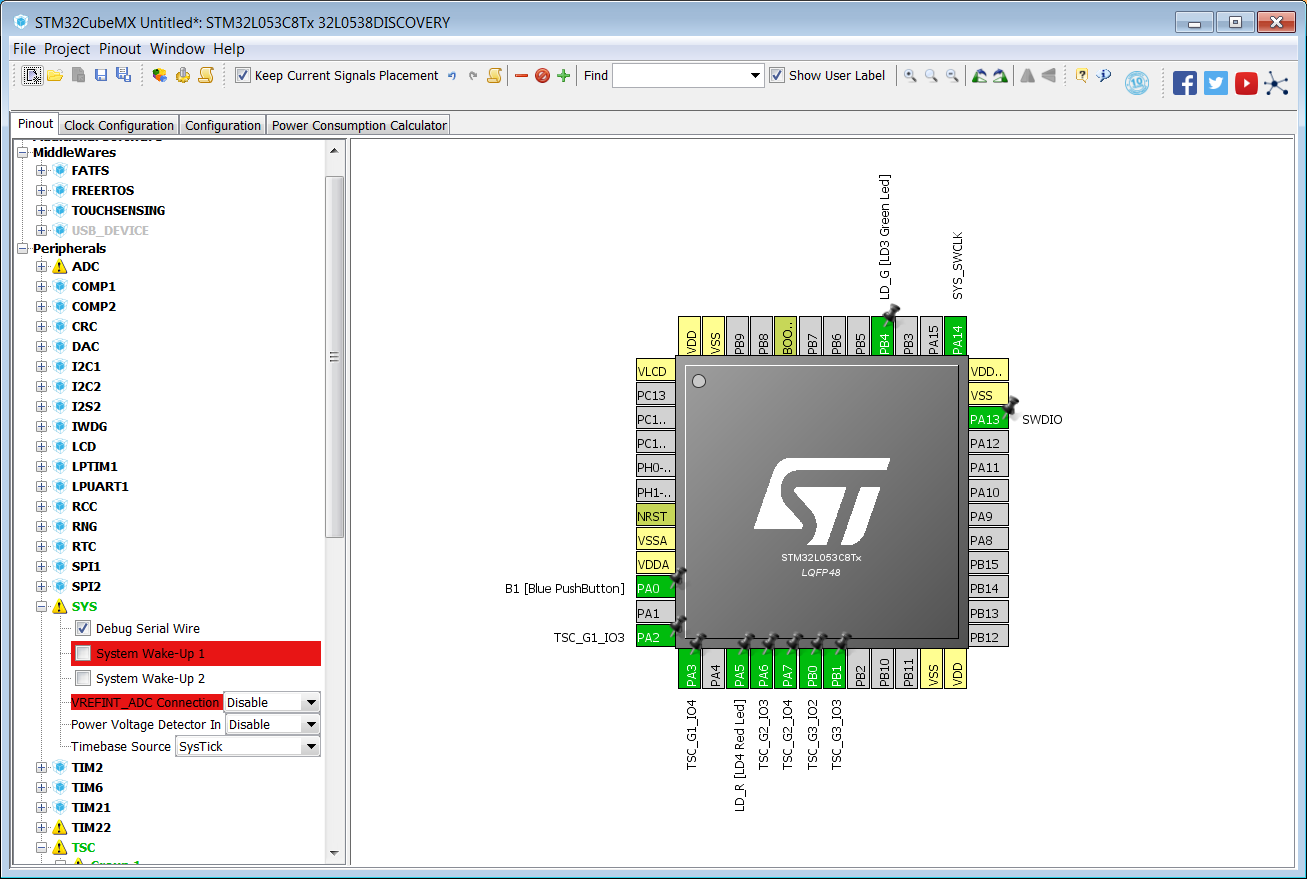
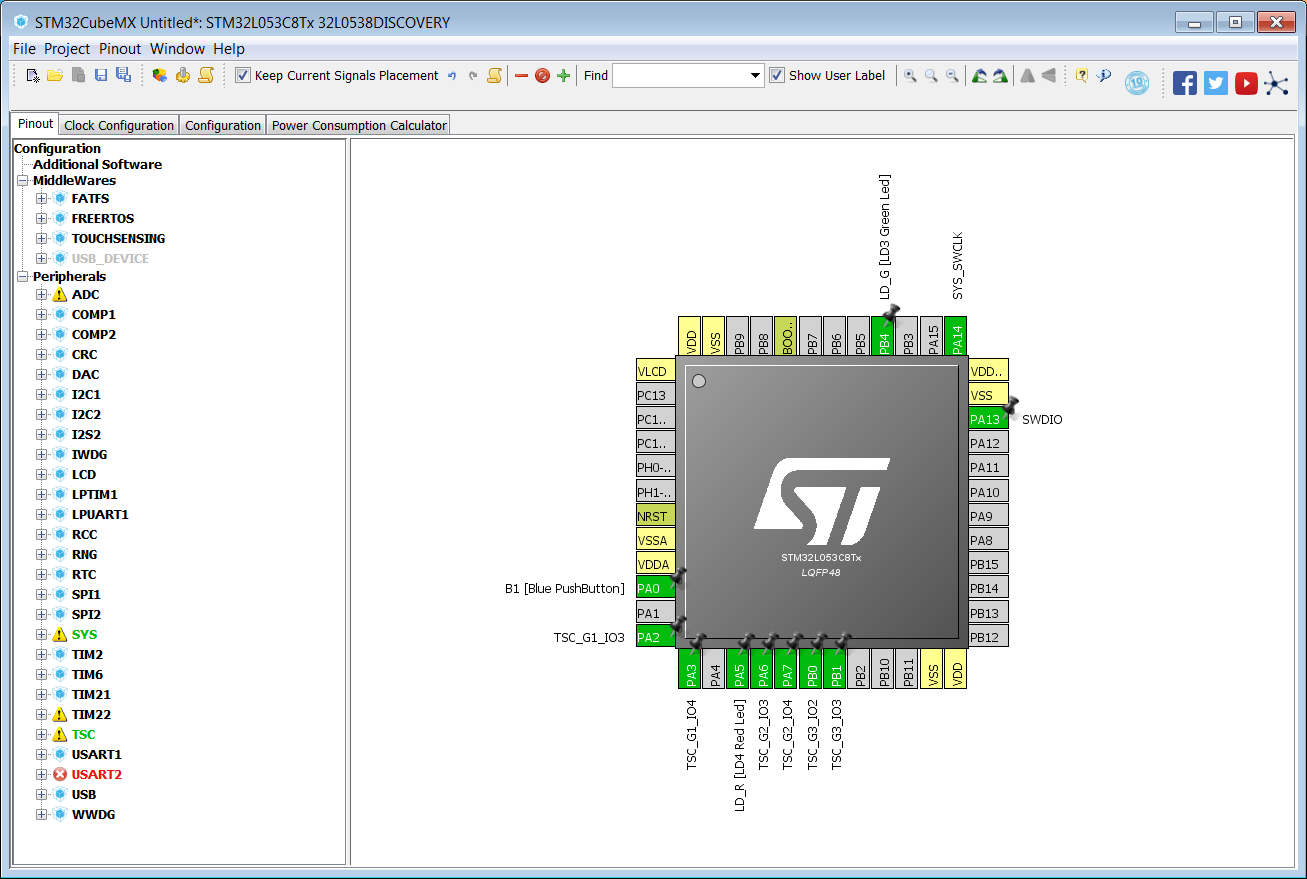
SWD peripheral must be set according to Figure 41 Pinout SWD.

Figure 41. Pinout SWD


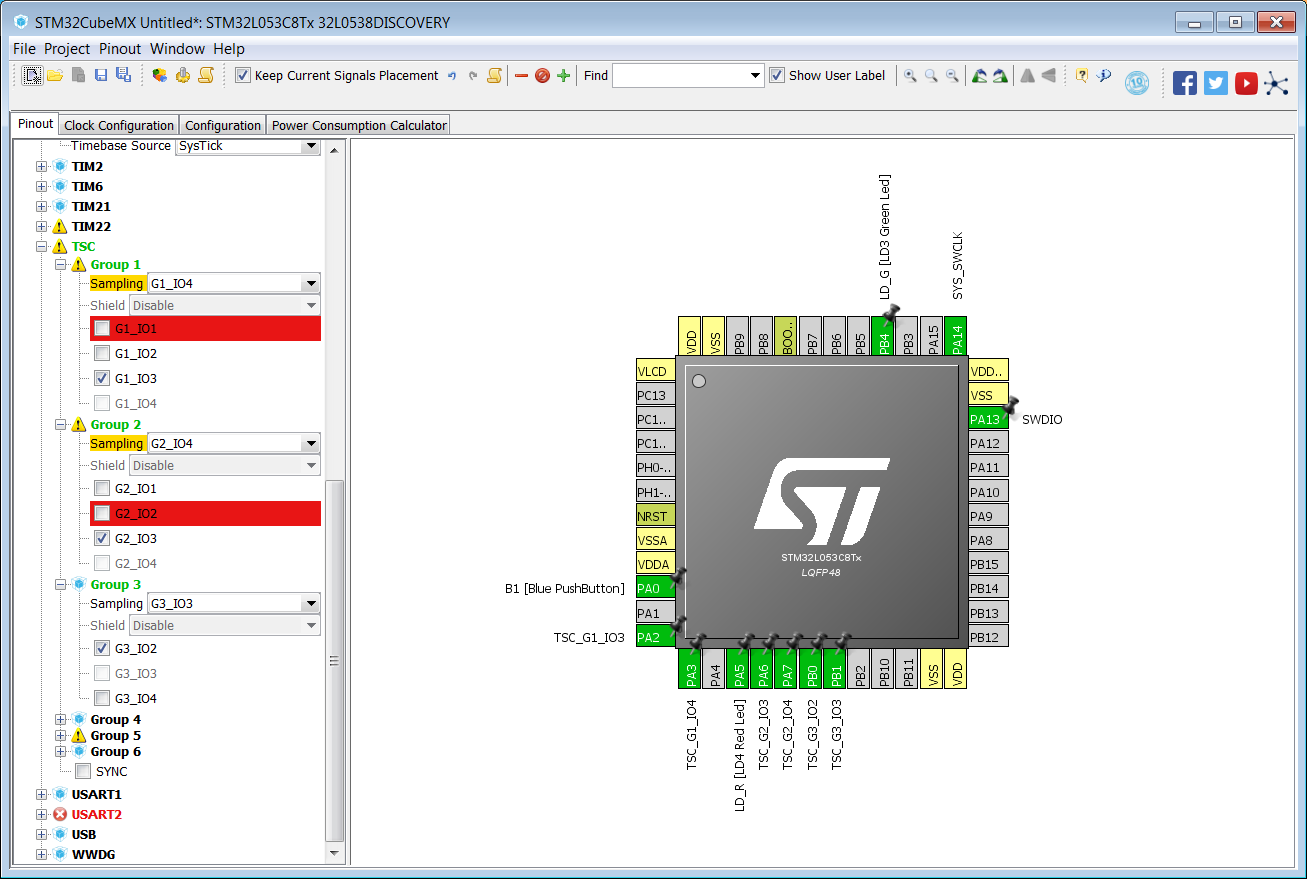
TSC peripheral must be set according to Figure 42 Pinout TSC.

Figure 42. Pinout TSC


Figure 43 Pinout overview shows the results obtained.

Figure 43. Pinout overview

STM32L0538-DISCO touchsensing library

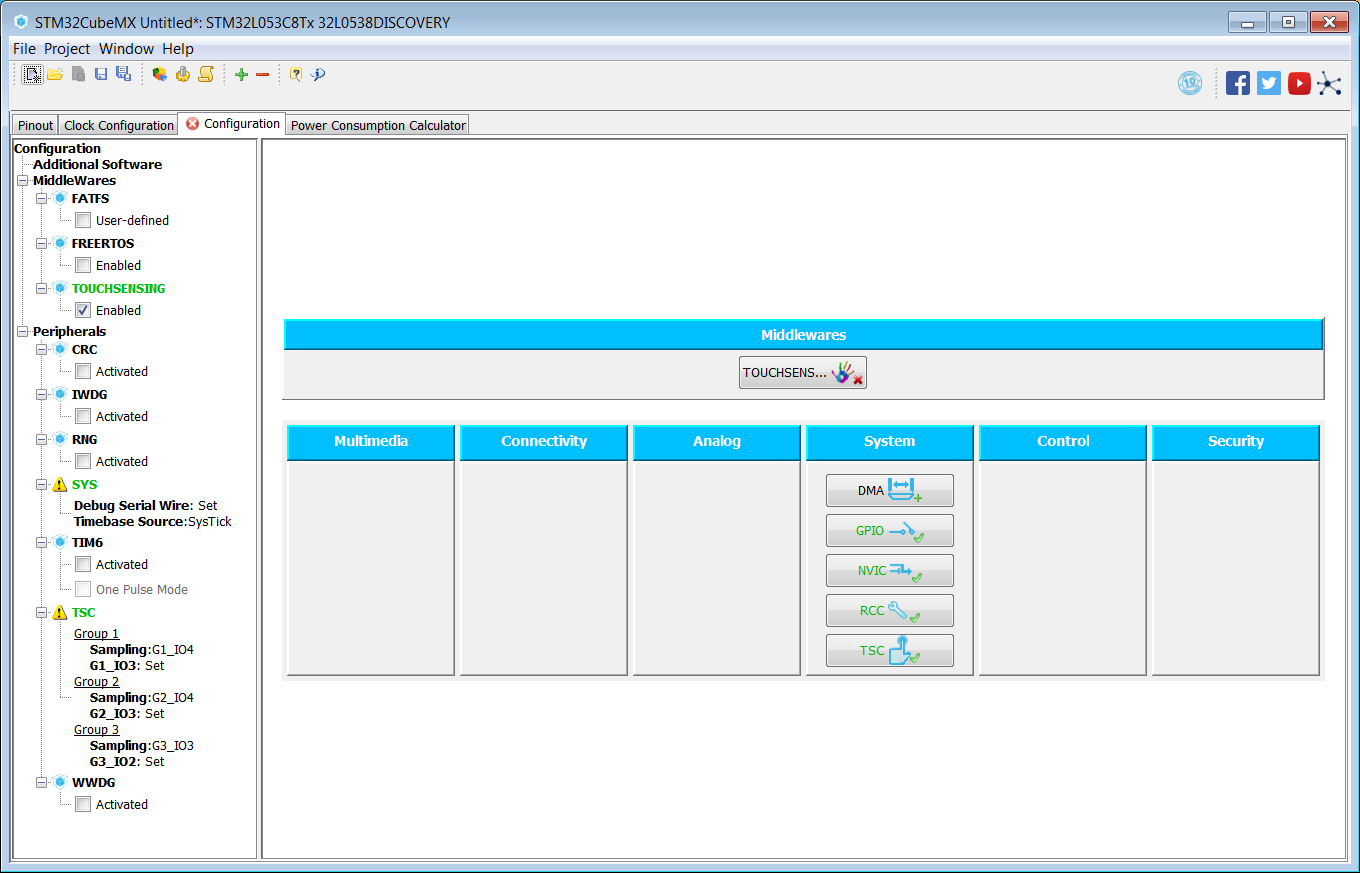
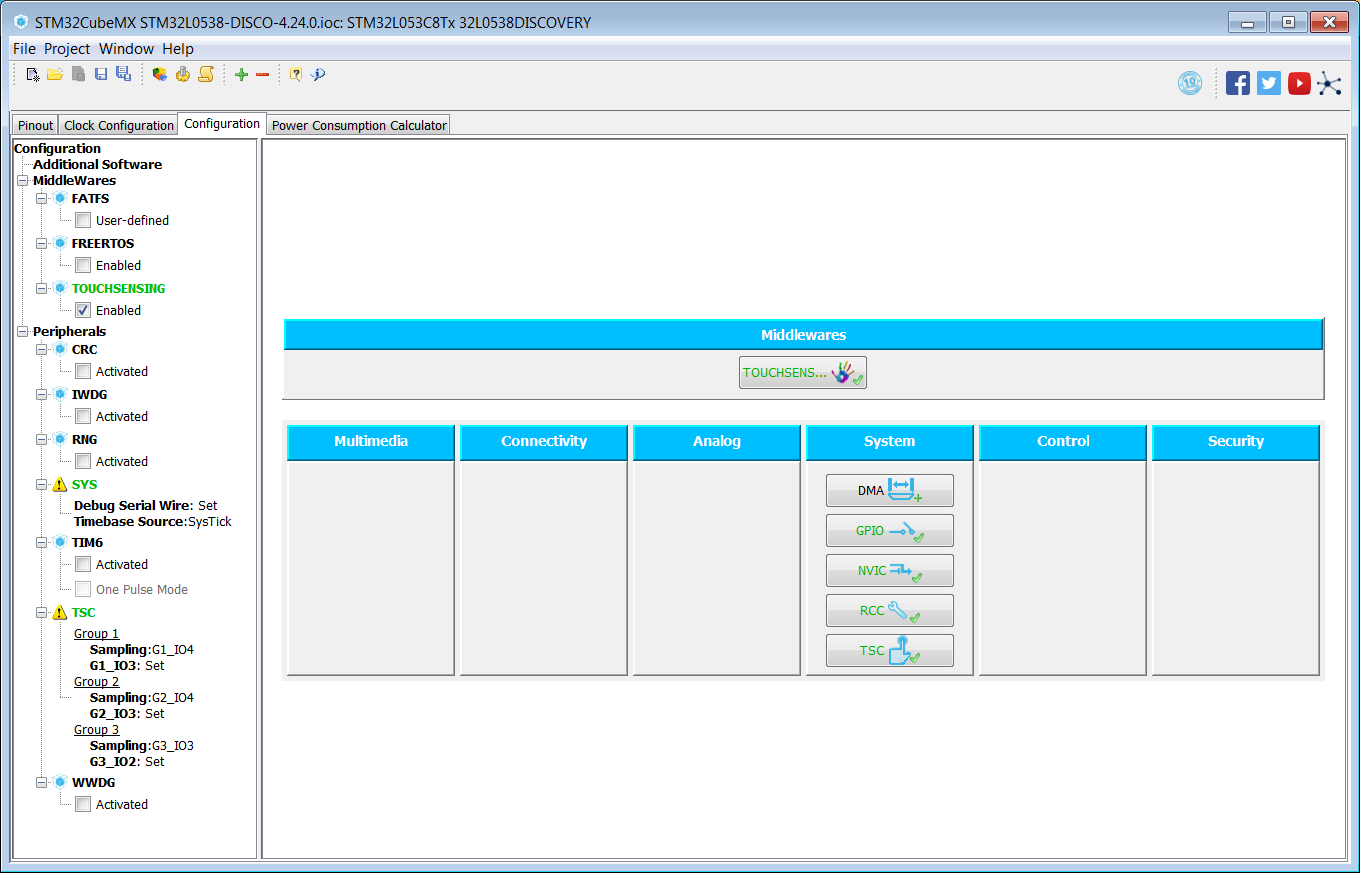
To activate the TLS usage, switch on TOUCHSENSING box configuration.

Figure 45. TOUCHSENSING box configuration

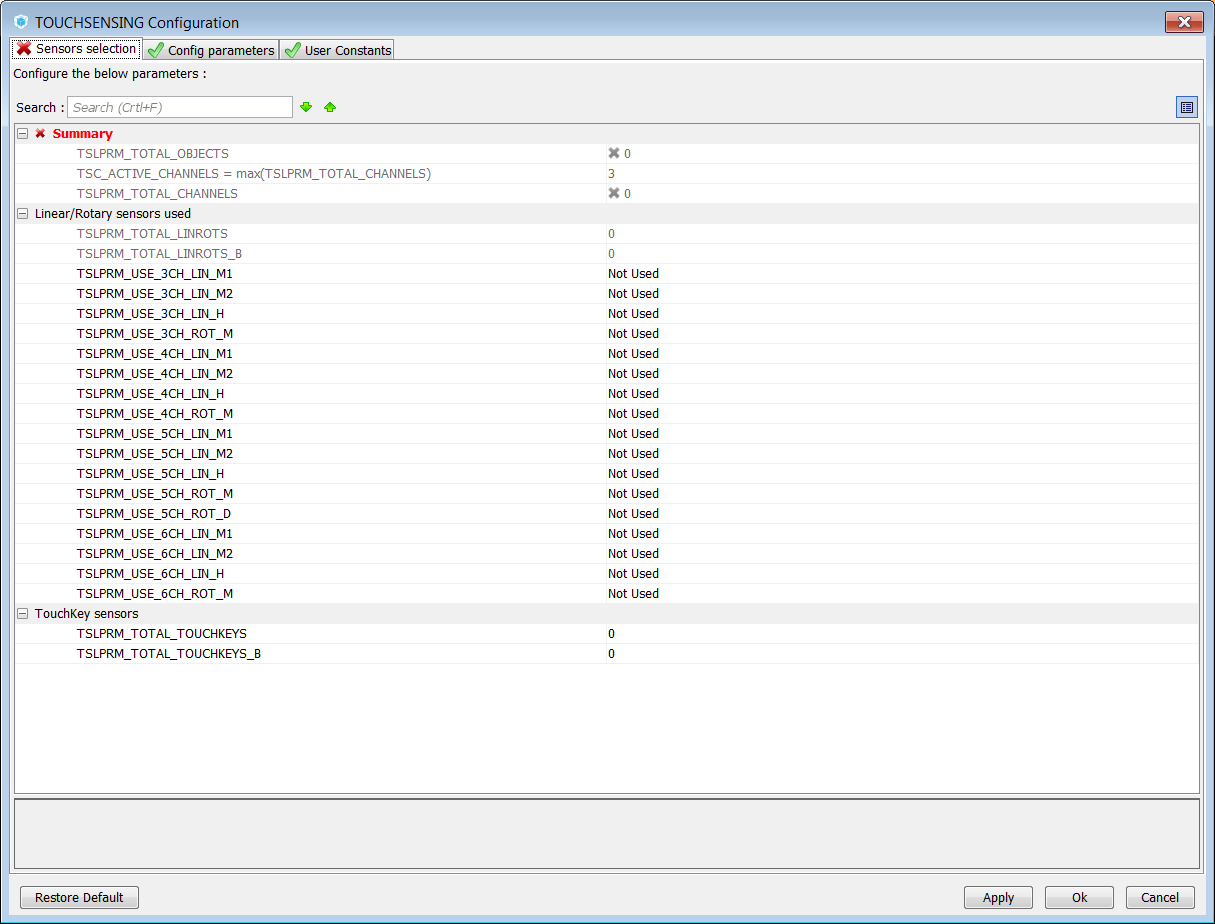
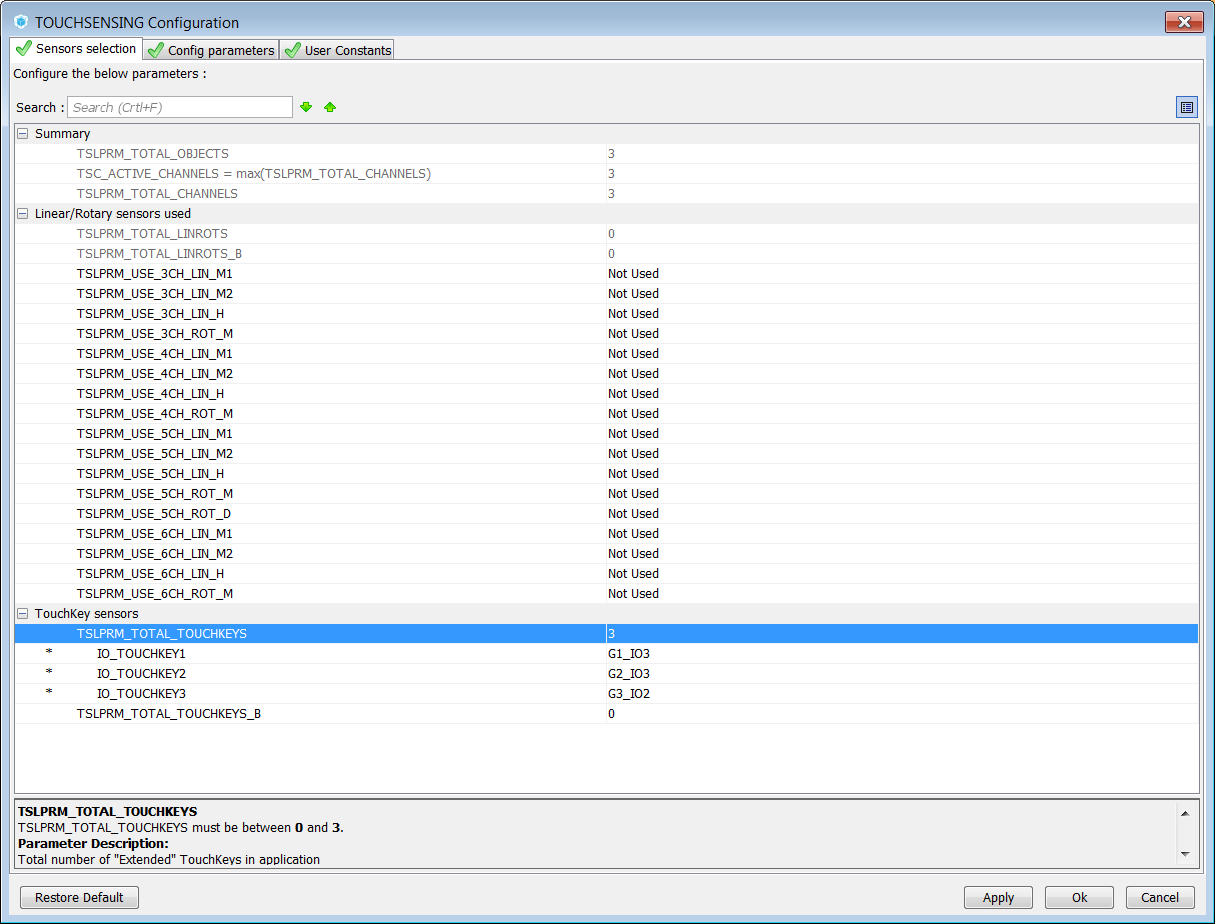
Select three channels Linear slider and assign dedicated Gx_IOy.

  • For training purpose, the user can use three channels linear slider as three keys sensors
  • Select three keys and assign dedicated Gx_IOy

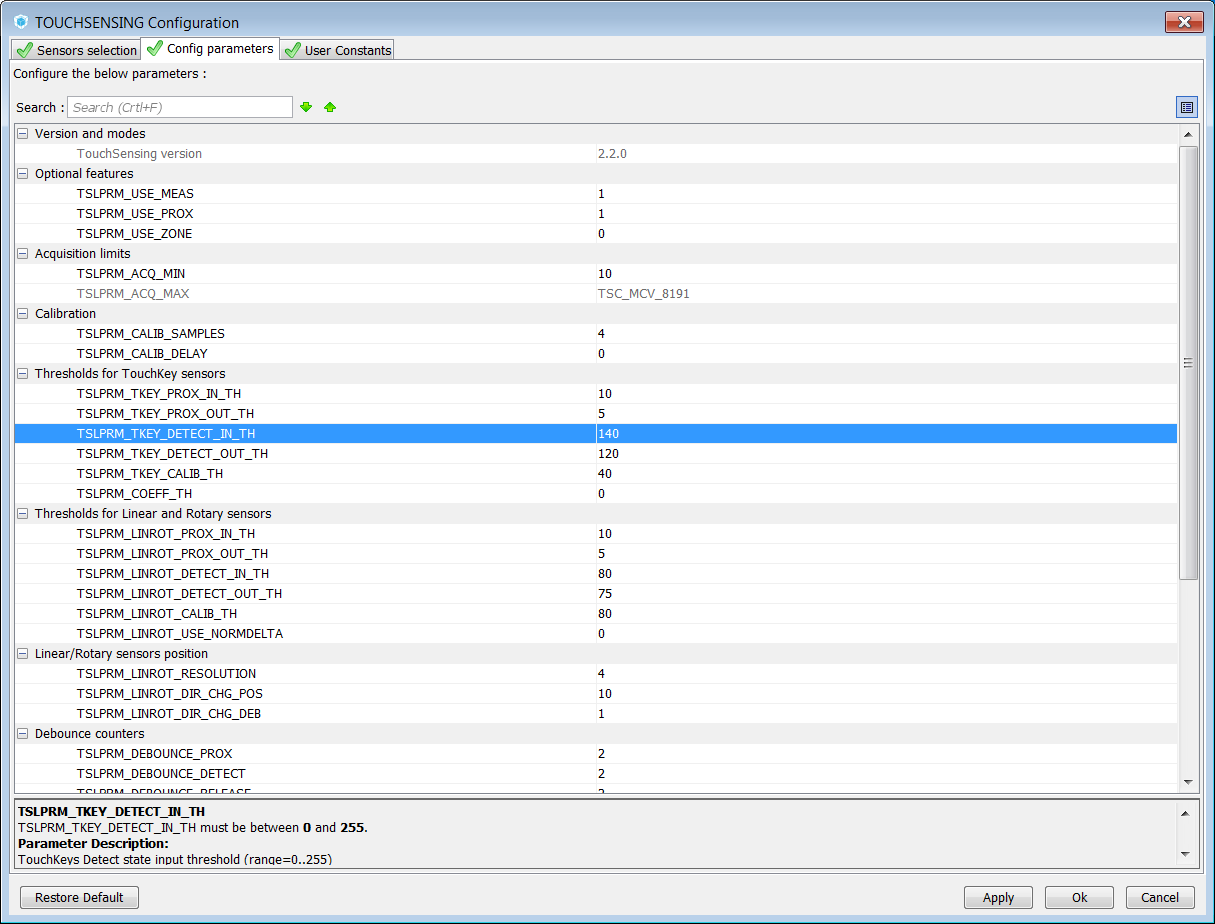
Follow Figure 46 STM32L0538-DISCO sensor selection step1 to Figure 50 STM32L0538-DISCO sensor selection step5 to set sensors.

Figure 46. STM32L0538-DISCO sensor selection step1
Figure 47. STM32L0538-DISCO sensor selection step2
Figure 48. STM32L0538-DISCO sensor selection step3
Figure 49. STM32L0538-DISCO sensor selection step4


Figure 50. STM32L0538-DISCO sensor selection step5

STM32L0538-DISCO software basic algorithm

Below is showed an example to show keys usage instead of slider usage.

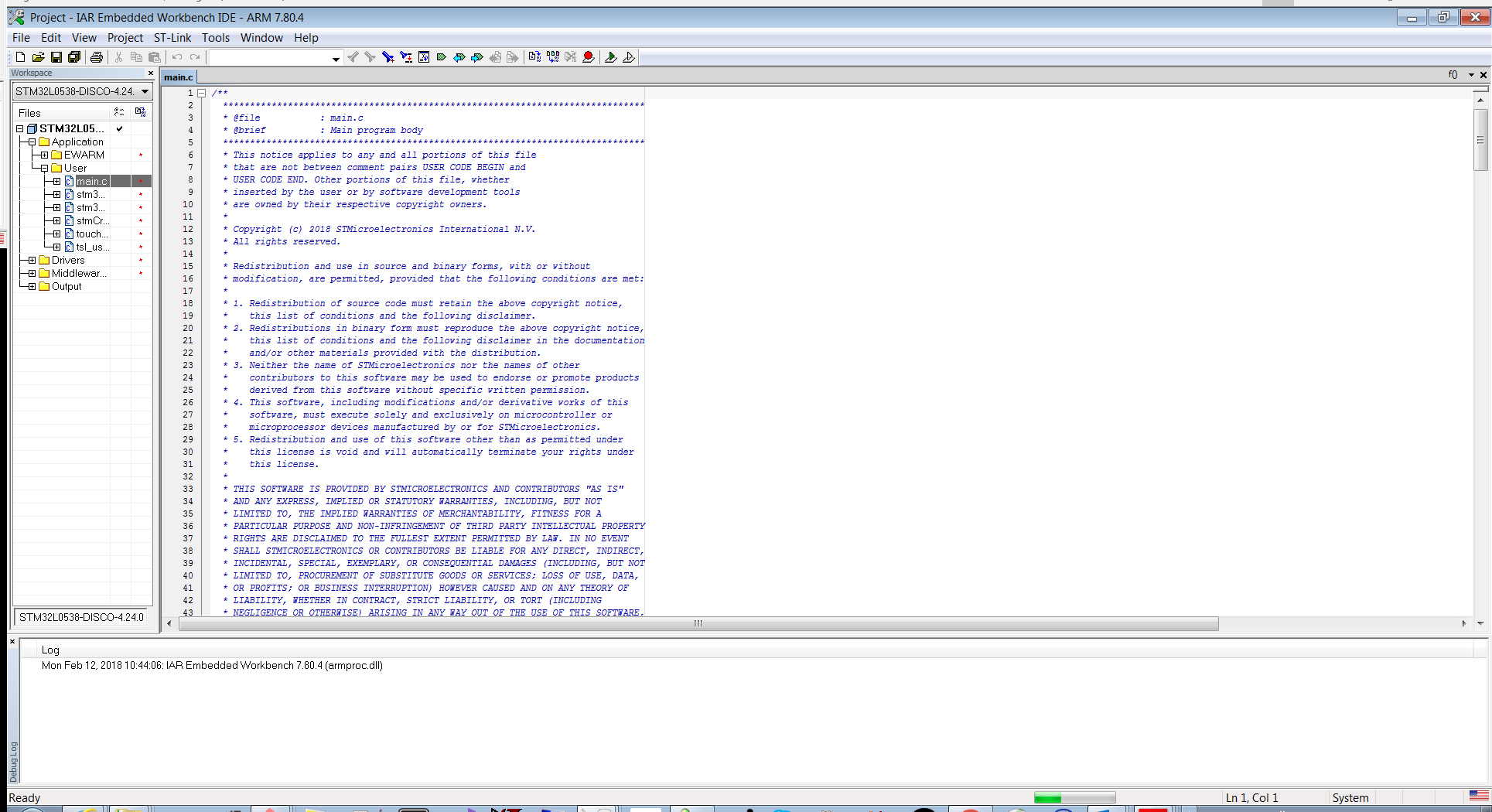
  • Open the IDE and in main.c file add the following lines:
  /* USER CODE BEGIN 3 */
    extern TSL_TouchKey_T MyTKeys[];
    static uint32_t    cnt=0;
    tsl_user_status_t status = TSL_USER_STATUS_BUSY;

    status = tsl_user_Exec();
    if(TSL_USER_STATUS_BUSY == status)
    {
      // Nothing to do
      if(cnt++%50==0){
      }
      HAL_Delay(1);
    }
    else
    {
      HAL_GPIO_WritePin(LD_R_GPIO_Port, LD_R_Pin, GPIO_PIN_RESET);    //00
      HAL_GPIO_WritePin(LD_G_GPIO_Port, LD_G_Pin, GPIO_PIN_RESET);
      if(MyTKeys[0].p_Data->StateId == TSL_STATEID_DETECT)
      {
          HAL_GPIO_WritePin(LD_R_GPIO_Port, LD_R_Pin, GPIO_PIN_SET); //11
          HAL_GPIO_WritePin(LD_G_GPIO_Port, LD_G_Pin, GPIO_PIN_SET);
      }
      if(MyTKeys[1].p_Data->StateId == TSL_STATEID_DETECT)
      {
          HAL_GPIO_WritePin(LD_R_GPIO_Port, LD_R_Pin, GPIO_PIN_SET); //01
          HAL_GPIO_WritePin(LD_G_GPIO_Port, LD_G_Pin, GPIO_PIN_RESET);
      }
      if(MyTKeys[2].p_Data->StateId == TSL_STATEID_DETECT)
      {
          HAL_GPIO_WritePin(LD_R_GPIO_Port, LD_R_Pin, GPIO_PIN_RESET);//01
          HAL_GPIO_WritePin(LD_G_GPIO_Port, LD_G_Pin, GPIO_PIN_SET); 
      }
    }
  }
  /* USER CODE BEGIN 3 */

The system is functional and ready to be used.

The Led is blink according to the position of the on slider.

Revision history