Camera modules and basic concepts
This section provides a summarized description of camera modules and their main components. It also highlights the external interface focusing on parallel camera modules.
This section provides a summarized description of camera modules and their main components. It also highlights the external interface focusing on parallel camera modules.
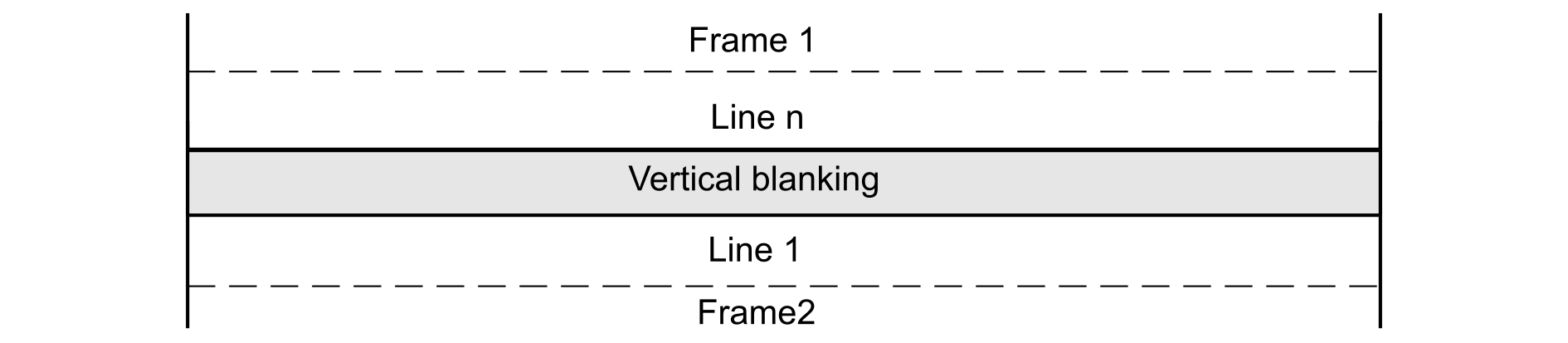
This section introduces the imaging field, and gives an overview of the basic concepts and fundamentals, such as pixel, resolution, color depth, and blanking.
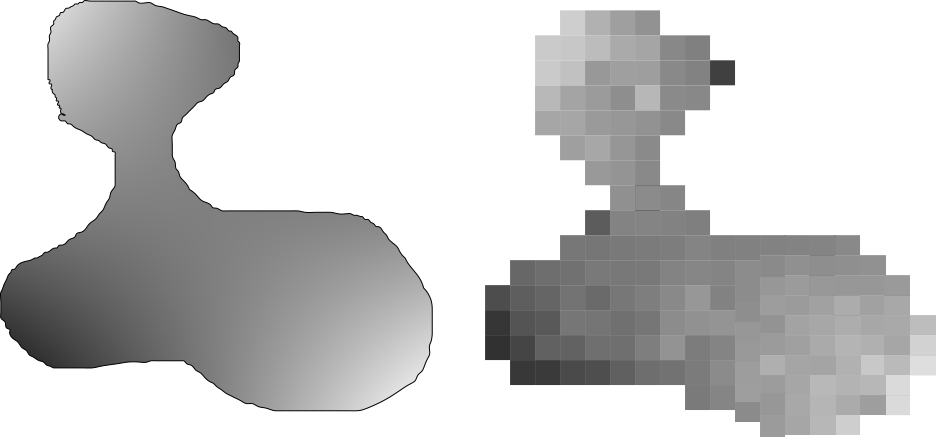
The more the pixel size increases, the more the image size increases. For the same image size, the higher the number of pixels is, the more details the image contains.

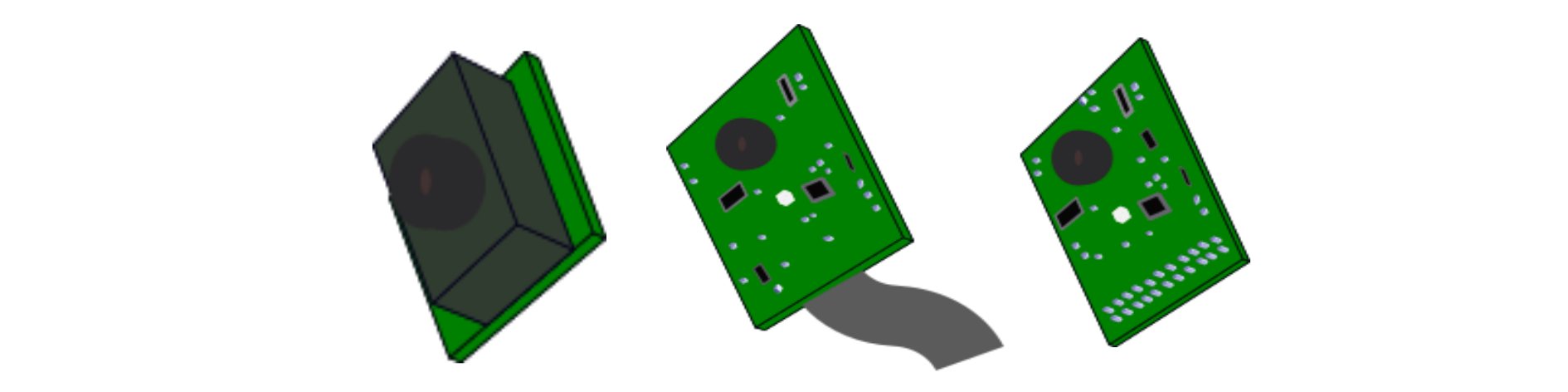
The four components of a camera module are described below.
It is an analog device used to convert the received light into electronic signals. These signals convey the information that constitutes the digital image.
Both types convert the light into electronic signals, but each has its own conversion method. As their performance continually evolves and their cost decreases, CMOS imagers now dominate the digital photography landscape.
It is an optic, which allows the reproduction of the real image captured rigorously on the image sensor. Picking the proper lens is part of the user creativity, and affects considerably the image quality.
It is a board that comprises electronic components to ensure the good polarization and the protection of the image sensor. The PCB also supports all the other parts of the camera module.
The camera interfaces are divided into two types: parallel and serial interfaces, depending on the method to transfer data signals.
As mentioned above, a camera module requires four main types of signals to transmit image data properly: control signals, image data signals, power supply signals, and camera configuration signals. Figure 5 Interfacing a camera module with an STM32 MCU illustrates a typical block diagram of a CMOS sensor, and the interconnection with an MCU.
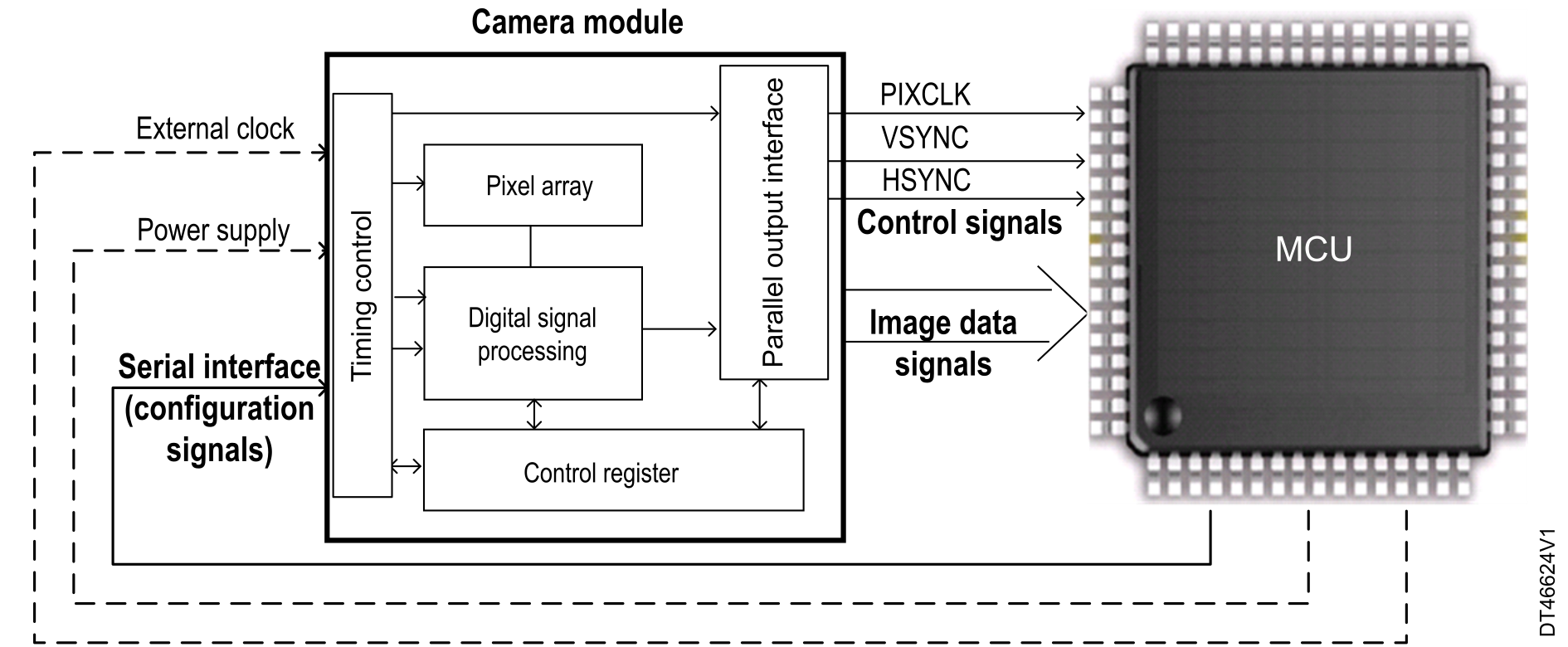
The camera clock must be provided according to the camera specification. The camera also provides two data synchronization signals: HSYNC (for horizontal/line synchronization) and VSYNC (for vertical/frame synchronization).
Their width represents the number of bits to be transferred at each pixel clock. This number depends on the parallel interface of the camera module, and on the embedded system interface.
As any embedded electronic system, the camera module needs to have a power supply. The operating voltage of the camera module is specified in its datasheet.
Most camera modules are parametrized through an I2C communication bus.
This section gives a general preview of the DCMI availability across the various STM32 devices, and gives an easy-to-understand explanation on the DCMI integration in the STM32 MCUs architecture.
The DCMI is a synchronous parallel data bus, which is used for an easy integration and easy adaptation to specific application requirements. The DCMI connects with 8-, 10-, 12-, and 14-bit CMOS camera modules, and supports a multitude of data formats.
Table 2 Availability of DCMI and related resources summarizes the STM32 devices embedding the DCMI, and highlights the availability of other hardware resources that facilitate the DCMI operation, or that can be used with the DCMI in the same application.
The DCMI applications need a frame buffer to store the captured images. It is then necessary to use a memory destination that varies depending on the image size and the transfer speed.
In some applications, it is necessary to interface with external memories that offer large sizes for data storage. Quad-SPI can be used in this case. For more details, refer to the application note Quad-SPI interface on STM32 microcontrollers and microprocessors (AN4760).
The DMA2D (Chrom-ART Accelerator controller) is useful for color space transformation (such as RGB565 to ARGB8888), or for data transfer from one memory to another.
The JPEG codec allows data compression (JPEG encoding) or decompression (JPEG decoding).